Run Qwen 3.8 27B on AMD Ryzen™ AI Max Agentic PCs and Radeon ™ GPUs
Aug 14, 2026

Today, AMD is delivering Day 0 support for Qwen3.8 27B, giving developers a path to run this state-of-the-art dense model locally on AMD-powered PCs and workstations from the moment it becomes available.
Qwen3.8 27B brings the latest generation of the Qwen family to a model size well suited for local AI development. The Qwen 3.8 generation continues the focus on coding, real-world work, research, and long-horizon AI workloads, extending the rapid pace of innovation we are seeing across open AI.
Users can bring Qwen3.8 27B directly to systems powered by AMD Ryzen™ AI Max+ processors or a single AMD Radeon™ AI PRO R9700 32 GB graphics card through open frameworks like llama.cpp. This model can also run on supported AMD hardware with more than 24 GB of Variable Graphics Memory or VRAM. This puts a capable new model on the same machine where they build, test, and use their applications. And it is ready on Day 0.
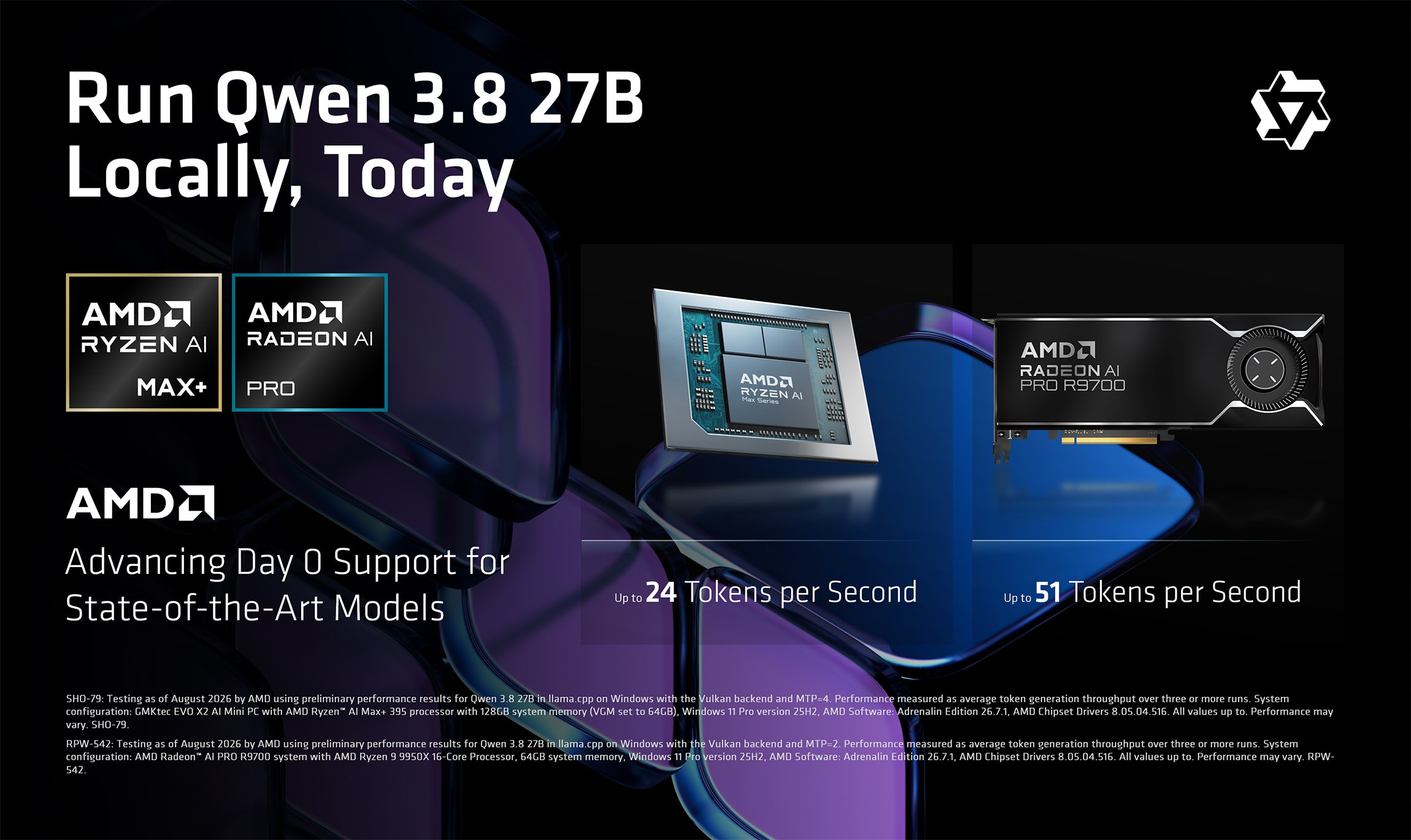
Early testing shows strong local performance for Qwen3.8 27B on AMD hardware, reaching up to 24.5 tokens per second on AMD Ryzen™ AI Max+ 395 and up to 51.8 tokens per second on a single AMD Radeon™ AI PRO R9700. As a 27B dense model, Qwen3.8 27B places substantial demands on memory capacity and compute, making capable local hardware especially important.
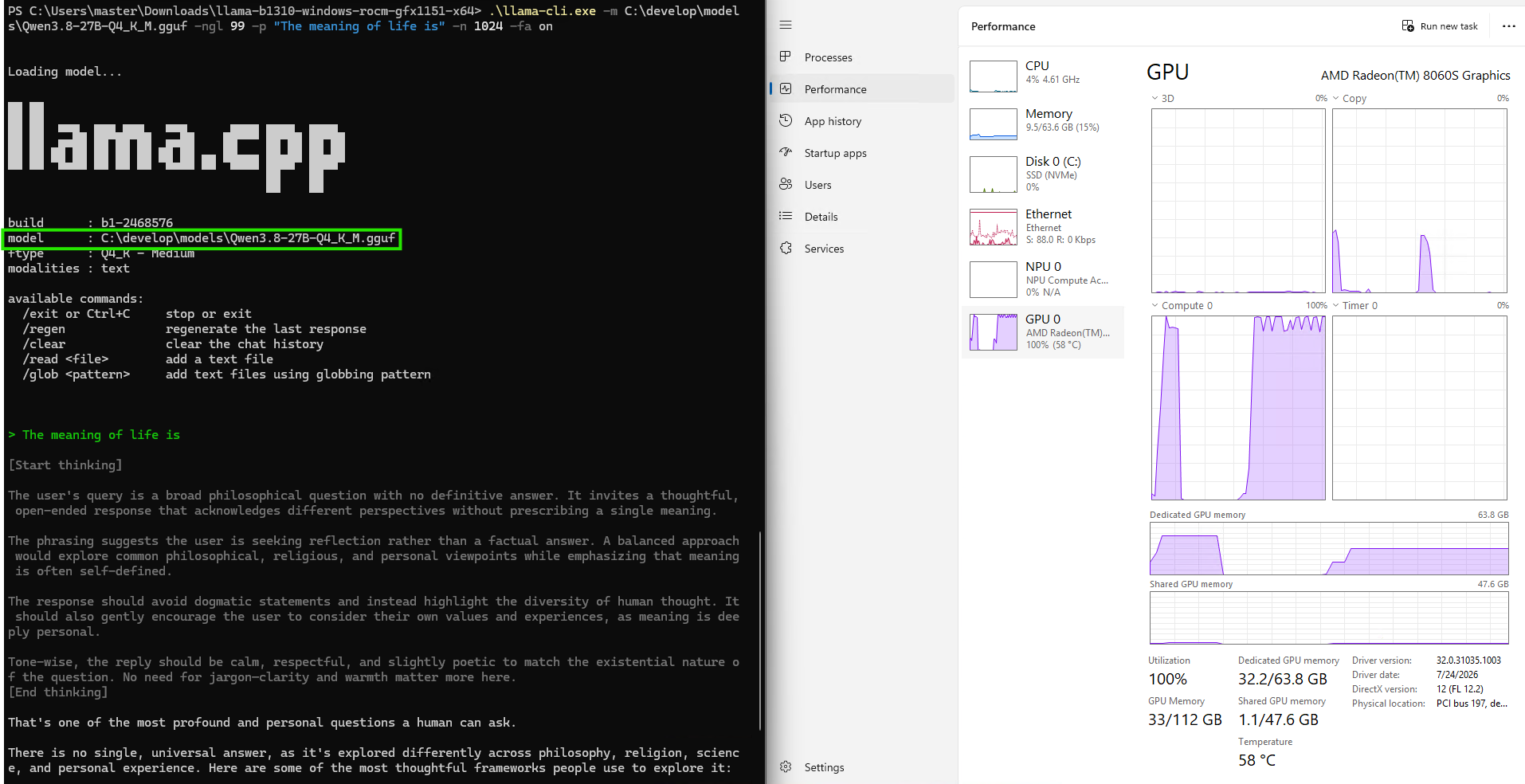
These preliminary results were measured on Windows using the popular llama.cpp project with the Vulkan backend, with MTP=4 on Ryzen AI Max+ 395 and MTP=2 on Radeon AI PRO R9700, using average token-generation throughput across three or more runs. With additional software and model optimizations still underway, we expect performance to continue improving as Day 0 support matures.
Run with LM Studio

For power users and enthusiasts who want to start using Qwen3.8 27B immediately, LM Studio provides a straightforward path to running the model locally.
On supported AMD systems, users can discover, download and begin working with the model from a familiar graphical experience. Qwen3.8 27B can be used with LM Studio on recommended AMD hardware including AMD Ryzen™ AI Max+ processor-based systems and the AMD Radeon™ AI PRO R9700 32 GB graphics card. Note that this model requires roughly 24GB of variable graphics memory (VGM) or VRAM to run comfortably and will also run on older, supported AMD platforms in LM Studio.
Note: MTP must be enabled and set to the correct number of draft tokens for optimal performance. Set 4 for AMD Ryzen™ AI Max+ and 2 for AMD Radeon™ AI PRO R9700. Uncheck "Try mmap" in advanced model load settings.
That makes LM Studio an easy first stop for exploring the model, testing prompts and workflows, and seeing what Qwen3.8 27B can do locally without writing a line of application code. For AMD users, LM Studio is part of a growing local AI ecosystem built around open models and broadly adopted inference technologies such as llama.cpp, giving users an accessible path from model download to local inference.
Integrate with Lemonade

Running a model is only the first step. The bigger developer opportunity is making local AI a native part of an application.
That is where Lemonade comes in.
Lemonade is AMD’s local-first developer platform designed to reduce the complexity of deploying AI across PCs. Its multi-engine architecture provides a unified interface while handling hardware-aware backend selection and optimization across available CPU, GPU, and NPU resources. AMD designed Lemonade specifically around the deployment challenges developers face when building local AI applications across different hardware configurations.
For application developers, Lemonade can be packaged alongside an app as a lightweight local inference layer, allowing the application to communicate with Qwen3.8 27B through familiar API patterns rather than requiring developers to build and maintain a hardware-specific inference stack themselves.
The result is a much simpler developer story: ship the application, start the local inference service, connect to the model, and let Lemonade handle the underlying AMD platform integration.
Advancing AI with Day 0 support for State-of-the-Art local models
The pace of open AI is not slowing down, and users should not have to wait for their hardware and software ecosystem to catch up every time a new model arrives.
Qwen3.8 27B is another important step forward for local AI, bringing a new generation of capabilities into a model users can put directly on their own systems.
AMD Ryzen AI Max+ processors and AMD Radeon AI PRO R9700 graphics give developers powerful local platforms to run it. LM Studio provides a fast path to experience it. Lemonade provides a path to turn it into an application.
And with Day 0 support from AMD, you can start building from day one.
Footnotes
SHO-79: Testing as of August 2026 by AMD using preliminary performance results for Qwen 3.8 27B in llama.cpp on Windows with the Vulkan backend and MTP=4. Performance measured as average token generation throughput over three or more runs. System configuration: GMKtec EVO X2 AI Mini PC with AMD Ryzen™ AI Max+ 395 processor with 128GB system memory (VGM set to 64GB), Windows 11 Pro version 25H2, AMD Software: Adrenalin Edition 26.7.1, AMD Chipset Drivers 8.05.04.516. All values up to. Performance may vary. SHO-79.
RPW-542: Testing as of August 2026 by AMD using preliminary performance results for Qwen 3.8 27B in llama.cpp on Windows with the Vulkan backend and MTP=2. Performance measured as average token generation throughput over three or more runs. System configuration: AMD Radeon™ AI PRO R9700 system with AMD Ryzen 9 9950X 16-Core Processor, 64GB system memory, Windows 11 Pro version 25H2, AMD Software: Adrenalin Edition 26.7.1, AMD Chipset Drivers 8.05.04.516. All values up to. Performance may vary. RPW-542.
Footnotes
SHO-79: Testing as of August 2026 by AMD using preliminary performance results for Qwen 3.8 27B in llama.cpp on Windows with the Vulkan backend and MTP=4. Performance measured as average token generation throughput over three or more runs. System configuration: GMKtec EVO X2 AI Mini PC with AMD Ryzen™ AI Max+ 395 processor with 128GB system memory (VGM set to 64GB), Windows 11 Pro version 25H2, AMD Software: Adrenalin Edition 26.7.1, AMD Chipset Drivers 8.05.04.516. All values up to. Performance may vary. SHO-79. |

Related Blogs
-
DeepSeek-V4 Flash RL on AMD Instinct MI308X GPUs with an AITER-Backed RL Stack — ROCm Blogs
Run end-to-end DeepSeek-V4 Flash reinforcement learning with an AITER-backed AMD RL stack on AMD Instinct MI308X GPUs.
October 27, 2026
-
AMD Pensando™ DPUs: A Programmable Foundation for AMD-Based Oracle Acceleron SmartNICs
AI is entering a new phase. Training, inference, and agentic AI systems are becoming more capable, distributed, and central to how organizations operate with DPUs being important.
October 27, 2026
-
ROCm 10.0.0 Support for Ray 2.58.0: Enabling Scalable AI Workflows — ROCm Blogs
ROCm 10.0.0 with Ray 2.58.0 continues PyTorch 2.12 and vLLM support.
October 26, 2026
-
Training EAGLE3 Speculative Decoding Draft Models on AMD Instinct MI350X with AMD Quark — ROCm Blogs
Learn how the AMD Quark team trains EAGLE3.1 draft models from scratch on AMD Instinct MI350X GPUs using ROCm, vLLM, TorchSpec, and SPEED-Bench.
October 26, 2026
-
Ultralytics YOLO on AMD GPUs: Train, Run, and Deploy with ROCm™ — ROCm Blogs
Learn how to train, run, and deploy Ultralytics YOLO26 models on AMD GPUs with PyTorch on ROCm and MIGraphX, starting with Ultralytics 8.4.171.
October 25, 2026
-
NeuroSpark Expands AI Compute Choice with AMD
NeuroSpark uses AMD Instinct GPUs and ROCm software on OCI to deliver flexible, cost-effective AI training and inference
October 23, 2026
-
Sovereign AI for European Customer Conversations
LeadDesk, QuTwo, and AMD Silo AI collaborate on a sovereign AI stack that brings near-frontier, open-weight models to European customer conversations.
October 22, 2026
-
Micro-World 2: Streaming Real-time Interactive World Model — ROCm Blogs
This blog demonstrates how Micro-World 2 combines precisely annotated action data, four-step diffusion distillation, and ROCm-optimized inference to deliver controllable, long-horizon, real-time world generation on a single AMD Instinct GPU through a fully open-source pipeline.
October 20, 2026