Train & run models on AMD GPUs with Unsloth
Jul 20, 2026

Unsloth now officially supports AMD hardware, enabling you to train, fine-tune, do reinforcement learning and run/deploy models on AMD GPUs. Full support for Unsloth Studio and Notebooks are provided for Windows, WSL and Linux machines with AMD GPUs including Instinct™ MI350, MI300 GPUs, Ryzen™ AI Max (Strix Halo) processors and consumer GPUs like the Radeon™ RX 9000 & 7000 series graphics.
Native AMD inference support for DeepSeek-V4, GLM 5.2, DiffusionGemma & Gemma-4, MiniMax M3, Qwen 3.6 are enabled by default and fast training is provided for all models.
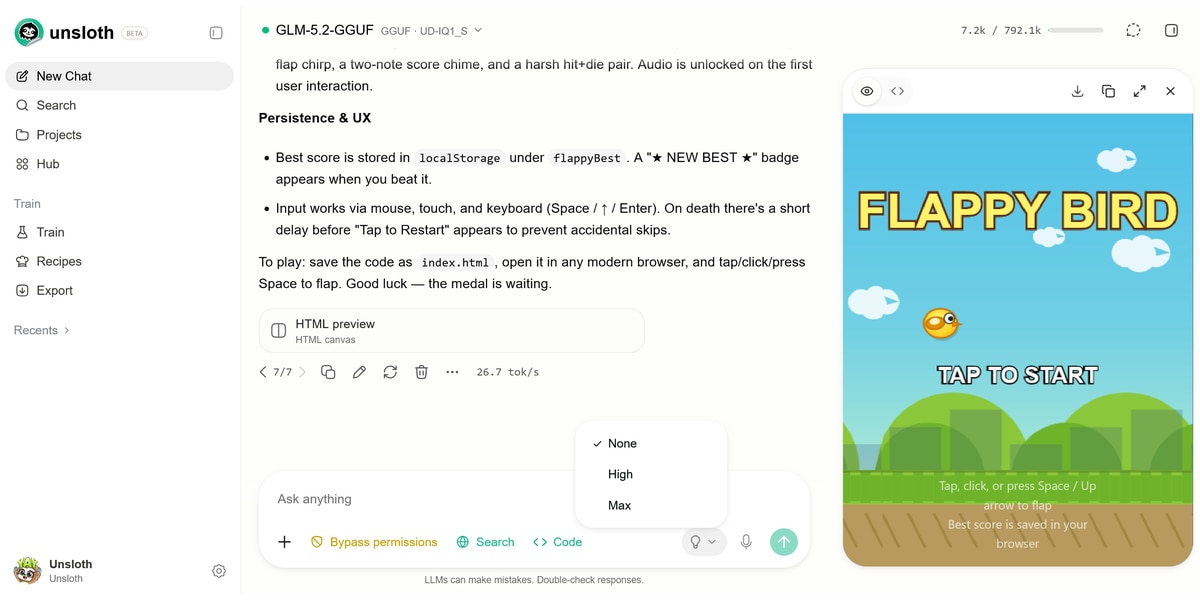
2x faster training and 50% more accurate tool calls
- Train Gemma-4 models in 8GB VRAM or Qwen3.5 in 3GB VRAM. Triton kernels, math algorithms and memory tricks allow 80% less VRAM usage for AMD GPUs.
- Up to 80% less VRAM usage for reinforcement learning workflows such as GRPO, plus weight sharing with vLLM to save 50% memory usage.
- All Unsloth Notebooks and Unsloth Studio features work out of the box.
- Tool call healing to increase accuracy by 50%, unlimited free web search, HTML canvases, secure HTTPS deployment via Cloudflare and code execution all work.
- Optimized support for RDNA 3 and newer GPUs and data-center-grade GPUs. Strix Halo is also optimized for Linux, WSL and Windows.
- AMD multi-GPU support, VRAM/RAM tracking, and llama.cpp ROCm™ softwrae prebuilts are provided daily, so there is no need for hour-long compilations and you can get the latest updates.
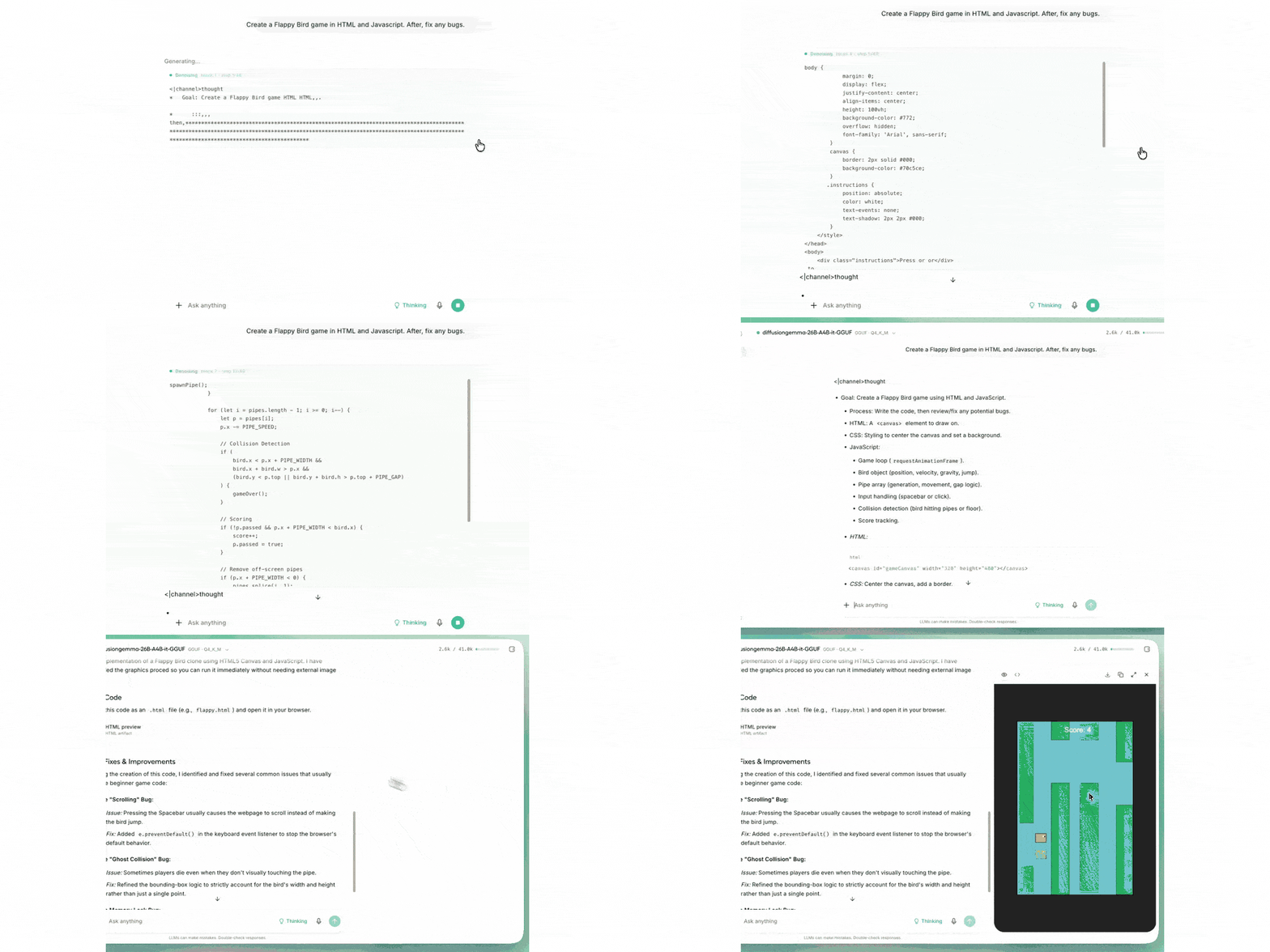
Installing Unsloth on AMD GPUs
Unsloth auto installs the best ROCm builds for PyTorch, llama.cpp prebuilts, bitsandbytes, ROCm optimized kernels & Triton. We also ship our AMD optimizations and fixes together.
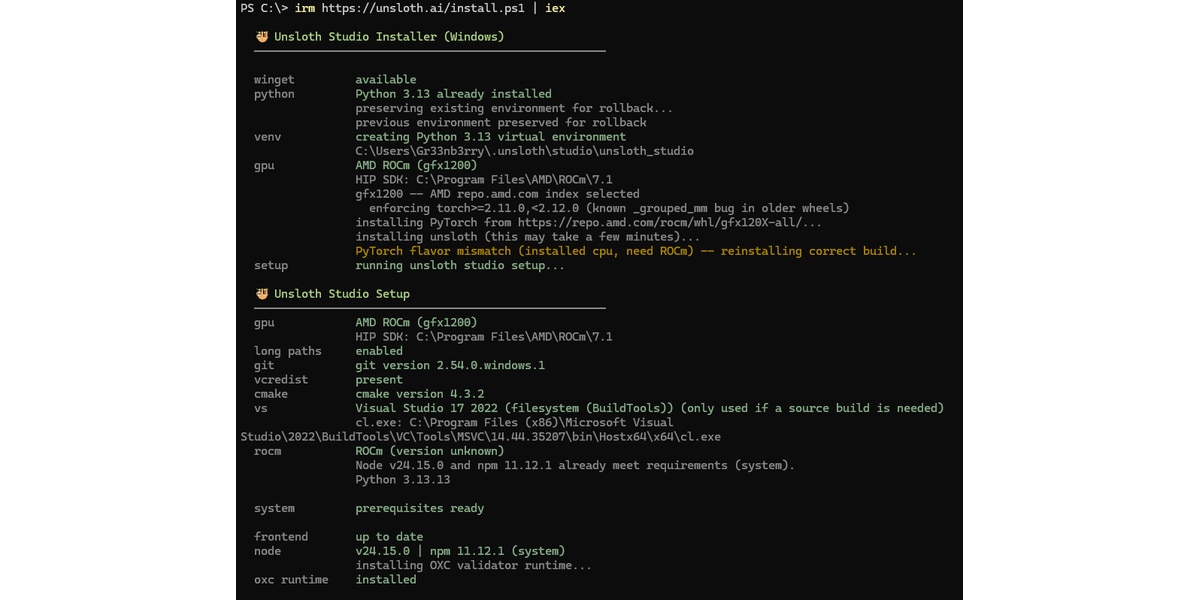
We tried our best to make Unsloth installations seamless for Windows and WSL users, but we generally recommend using Linux directly since it will have the broadest support. Unsloth supports MacOS, Linux, Windows, NVIDIA, Intel and CPU setups. See: Unsloth Requirements. Use the same commands to update!
MacOS, Linux, WSL:
curl -fsSL https://unsloth.ai/install.sh | sh
Windows PowerShell:
irm https://unsloth.ai/install.ps1 | iex
Install Unsloth Notebooks & pip install
For plain Unsloth notebooks, see the general AMD install guide. After following it to install PyTorch and ROCm, run:
uv pip install unsloth[amd]
Be sure to read the AMD install guide!
AMD MI300x GPU Benchmarks
We brought many of the optimizations we made for non-AMD GPUs over to make AMD GPUs shine. We are still actively working on making AMD GPUs even better!
Reinforcement Learning: More accurate LoRA, QLoRA
On Llama-3.2-3B GRPO with vLLM, Unsloth completes a steady-state step in 1.75s versus 2.01s for TRL + FA2 + vLLM. We also support weight sharing with vLLM as described in Memory Efficient RL, where we avoid wasting memory by directly accessing vLLM's memory allocation of the model.
In the LoRA and QLoRA case, we do not accumulate weights by merging and then de-merging them as follows:
W = W + sAB
inference = XW
W = W - sAB
The above causes issues because IEEE floating-point operations are not associative due to rounding, especially when W is in BF16 precision. In IEEE arithmetic:
W ≠ (W + sAB) - (sAB)
When W is in bfloat16 precision, this causes even more issues because bfloat16 has few mantissa bits and can round small numbers to zero. Since A and B are float32, W can drift over time. Unsloth uses vLLM's LoRA path directly, avoiding this issue. The base model weights are never edited and will never drift.
Faster Reinforcement Learning
We benchmarked TRL with FA2 and vLLM co-located. Both use vLLM for generation. Unsloth pushes more of the step into generation while making the training and scoring half roughly 2x cheaper, so the total step is lower.
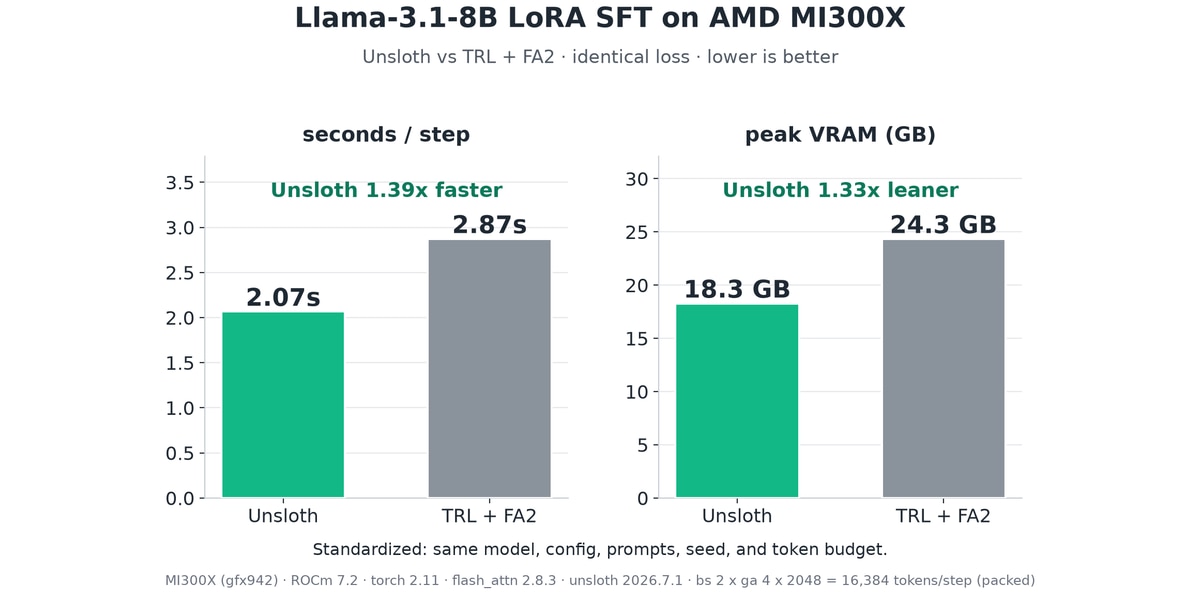
All three benchmarks are reproducible: same seeds, same token budgets, and the loss curves match between the two stacks.
Faster and More Memory Efficient Fine Tuning and Training
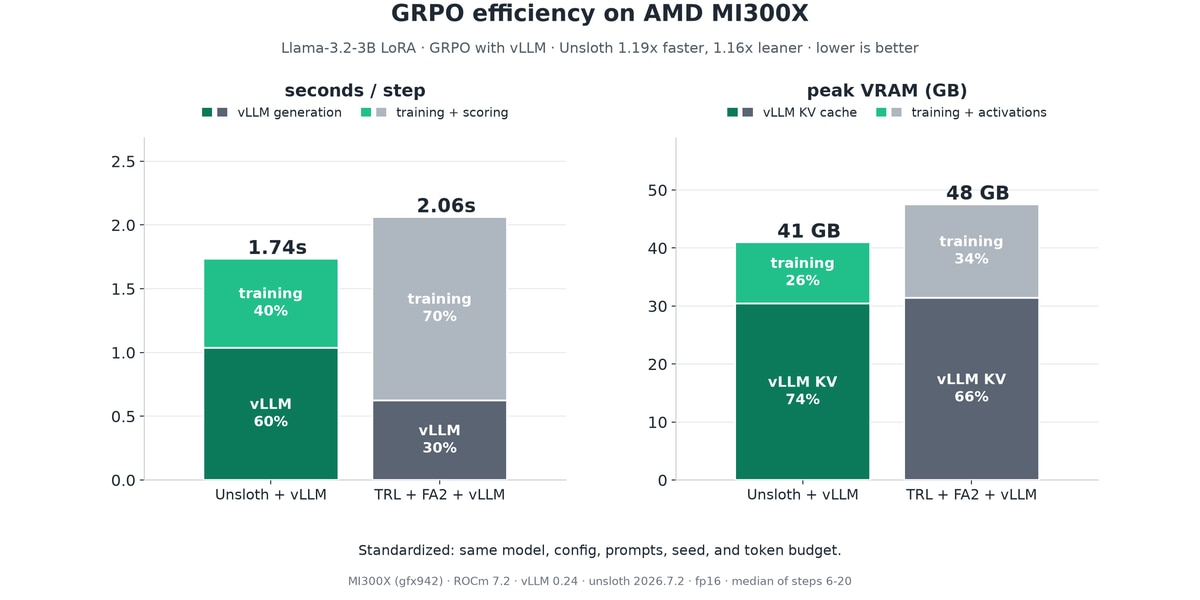
On Llama-3.1-8B LoRA SFT (batch 2 x grad-accum 4 x 2048 = 16,384 tokens/step, packed, identical loss on both arms), Unsloth trains at 2.07 s/step versus 2.87 s/step for TRL + FA2, and peaks at 18.3 GB versus 24.3 GB. That is 1.39x faster and 1.33x leaner, with no change to the loss curve. We plan to make this even better!
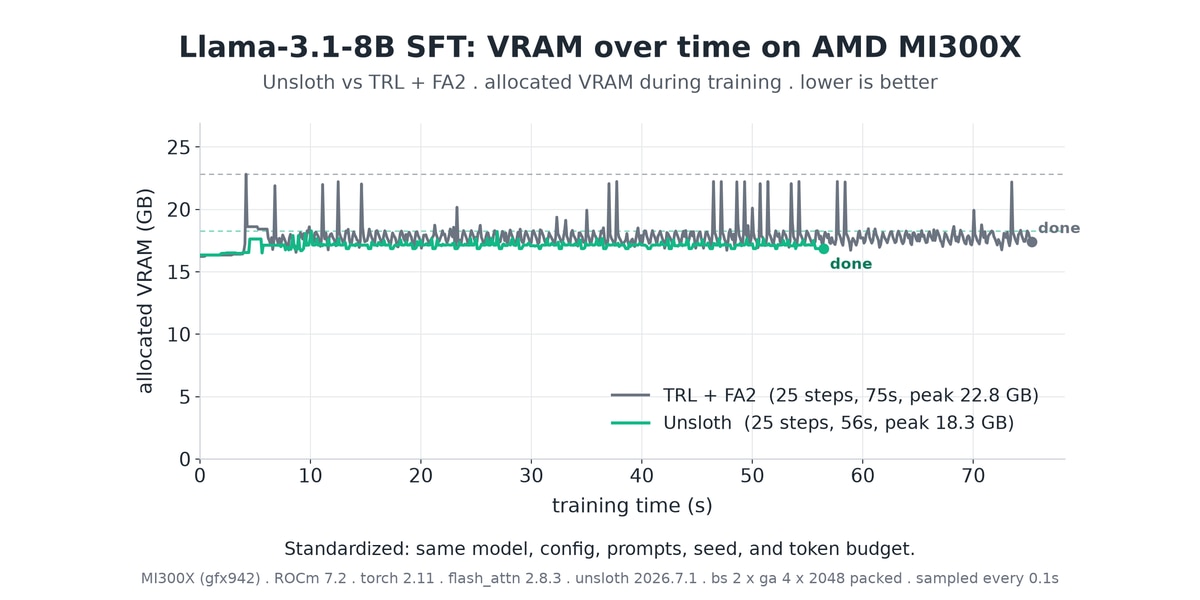
The memory savings are not just a lower peak; they hold for the whole run. Sampling allocated VRAM every 0.1s, Unsloth stays flat and low the entire time, while TRL + FA2 spikes toward 22.8 GB on nearly every step and takes longer to finish (75s vs 56s for the same 25 steps).
Supported AMD Hardware
Unsloth's AMD support focuses on popular consumer, workstation, and datacenter GPUs. Training, Unsloth Studio, and GGUF/llama.cpp inference support can vary by architecture, so the table below separates optimized support from compatibility paths.
Architecture |
Series |
gfx |
Support |
Platform |
|---|---|---|---|---|
RDNA 4 |
Radeon RX 9000 Series |
gfx1200, gfx1201 |
Full |
Windows + WSL + Linux |
RDNA 3.5 |
Ryzen AI 300 / Ryzen AI MAX (Strix Halo) |
gfx1150, gfx1151, gfx1152 |
Full |
Windows + WSL + Linux |
RDNA 3 |
Radeon RX 7000 Series |
gfx1100, gfx1101, gfx1102 |
Full |
Windows + WSL + Linux |
RDNA 2 |
Radeon RX 6000 Series |
gfx1030 only |
Limited |
Linux only |
CDNA 4 |
Instinct MI350 Series GPUs |
gfx950 |
Full |
Linux only |
CDNA 3 |
Instinct MI300 Series GPUs |
gfx940, gfx941, gfx942 |
Full |
Linux only |
CDNA 2 |
Instinct MI200 Series GPUs |
gfx90a |
Full |
Linux only |
We are actively working on supporting more AMD GPUs!
Unsloth Studio on AMD
MacOS, Linux, WSL:
curl -fsSL https://unsloth.ai/install.sh | sh
Windows PowerShell:
irm https://unsloth.ai/install.ps1 | iex
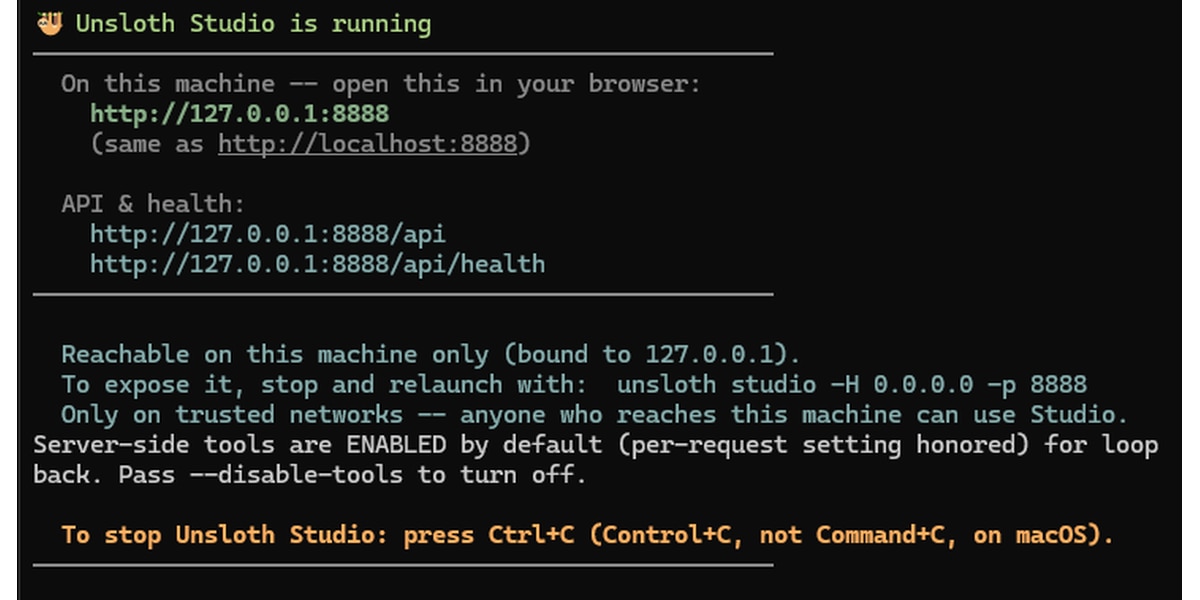
After installation, you can open Unsloth Studio in your browser. From there, you can run and fine-tune local LLMs on AMD hardware automatically.
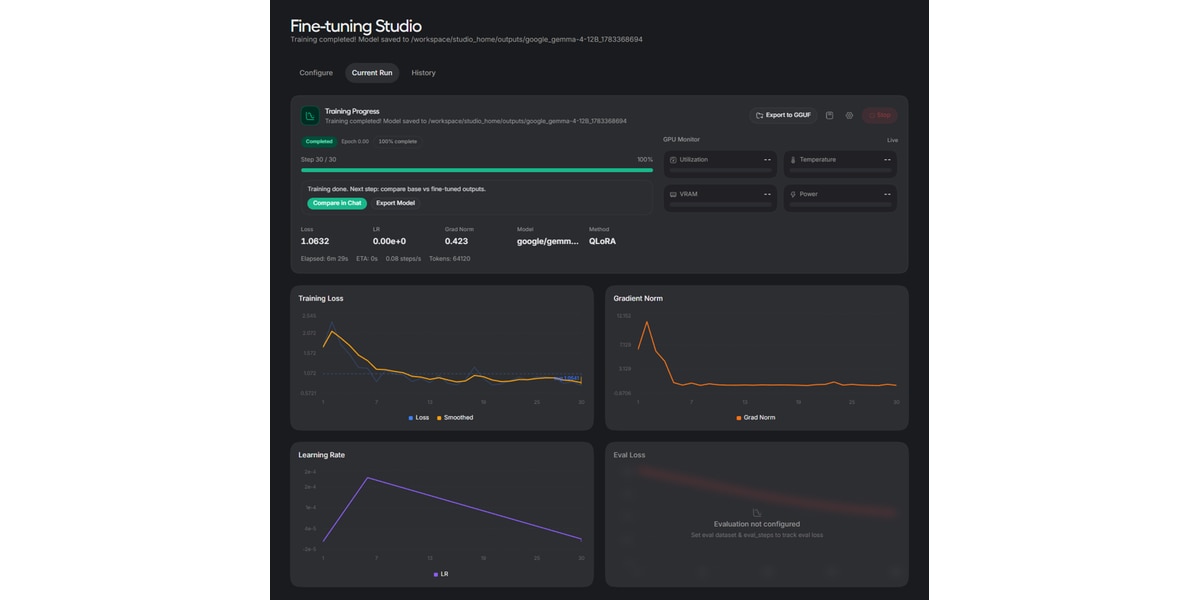
Select your model, dataset, and training settings to begin. For example, you can run QLoRA 4-bit fine-tuning on Gemma 4 12B with a context length of ~16k, LoRA rank 16, learning rate 0.0002, and 30 max steps.
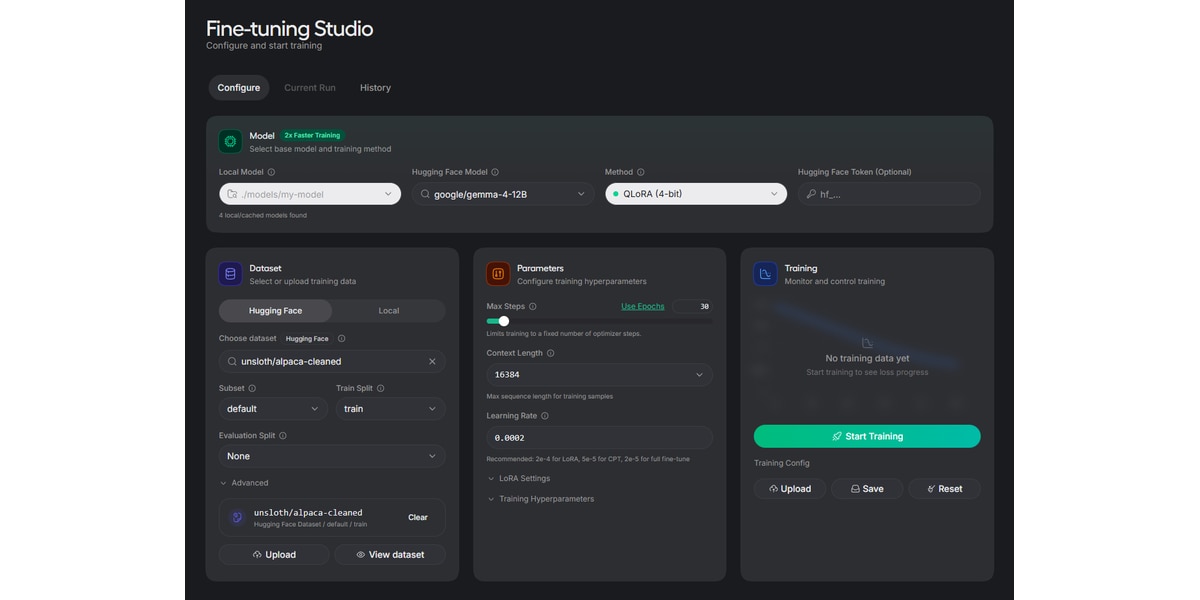
Unsloth Studio's fine-tuning screen is fully customizable, letting you configure your model, dataset, and training parameters. During training, Unsloth tracks progress in real time, including loss, RAM and VRAM usage, as well as support for multi-GPU. Once training starts, you will see the progress plotted in real time.
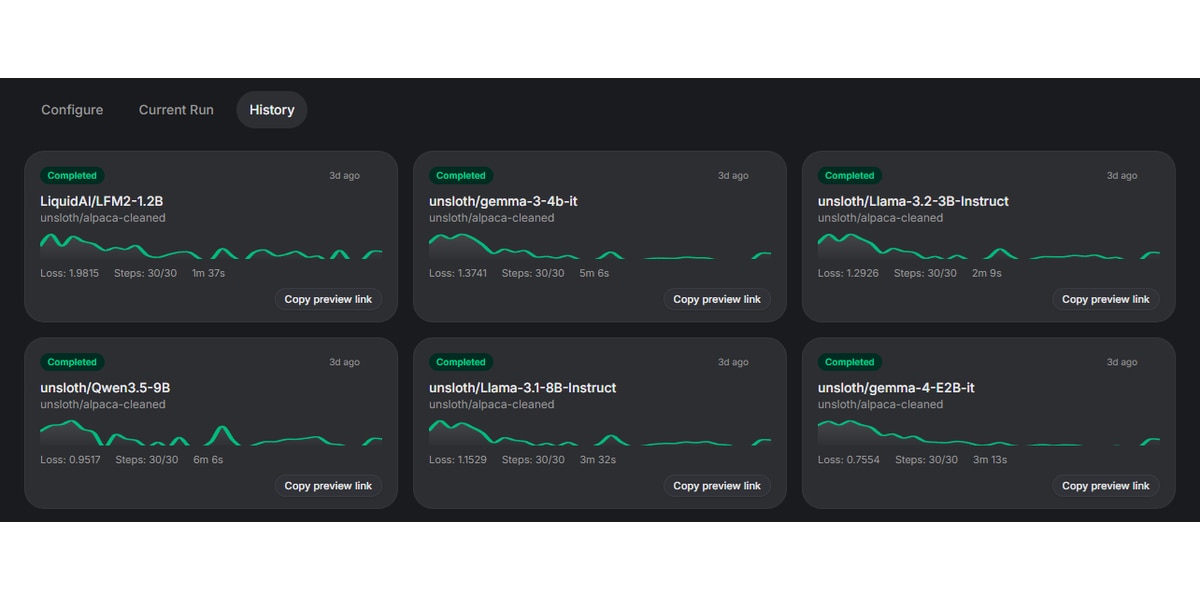
After training, you can visit your history to see past and active training sessions. Select from any of your fine-tuned models to view past training logs.
When training is complete, export your model as GGUF, merged model safetensors, or a LoRA Adapter for deployment with Hugging Face, llama.cpp, vLLM, or Unsloth. For GGUF exports, Unsloth uses AMD-aware llama.cpp ROCm prebuilts matched to your gfx architecture, with source compilation as a fallback when no prebuilt is available. Once export completes, you will see “Export finished successfully.” You can also push your model directly to the Hugging Face Hub.
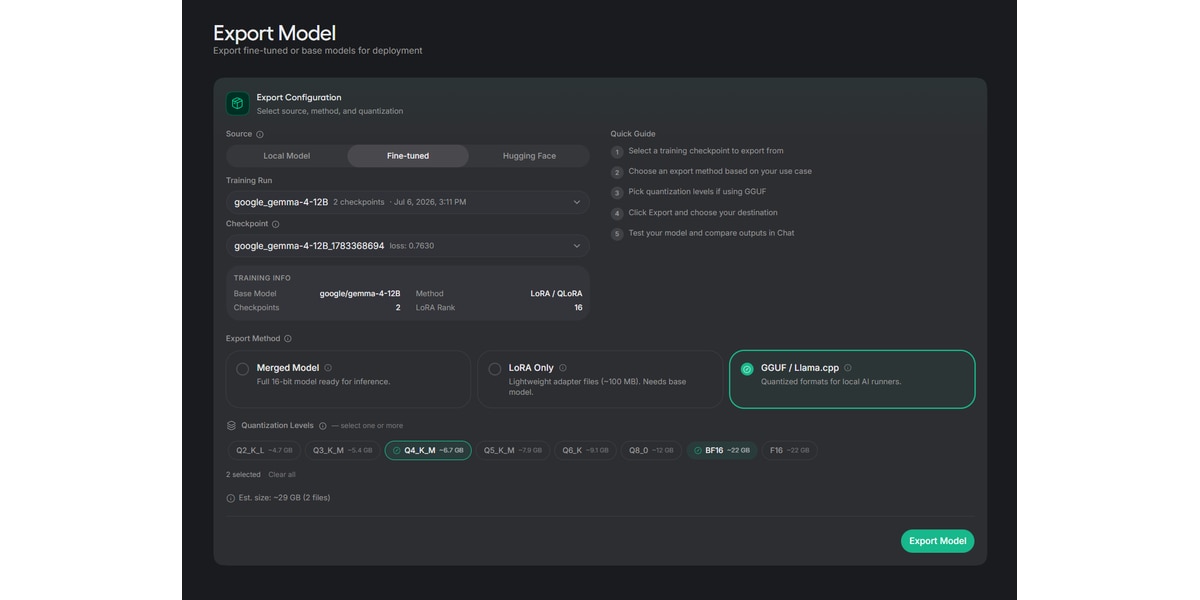
Export your model to your preferred format and deploy it anywhere. After exporting, load your fine-tuned model from the Fine-tuned section of the model dropdown in New Chat or Recents.
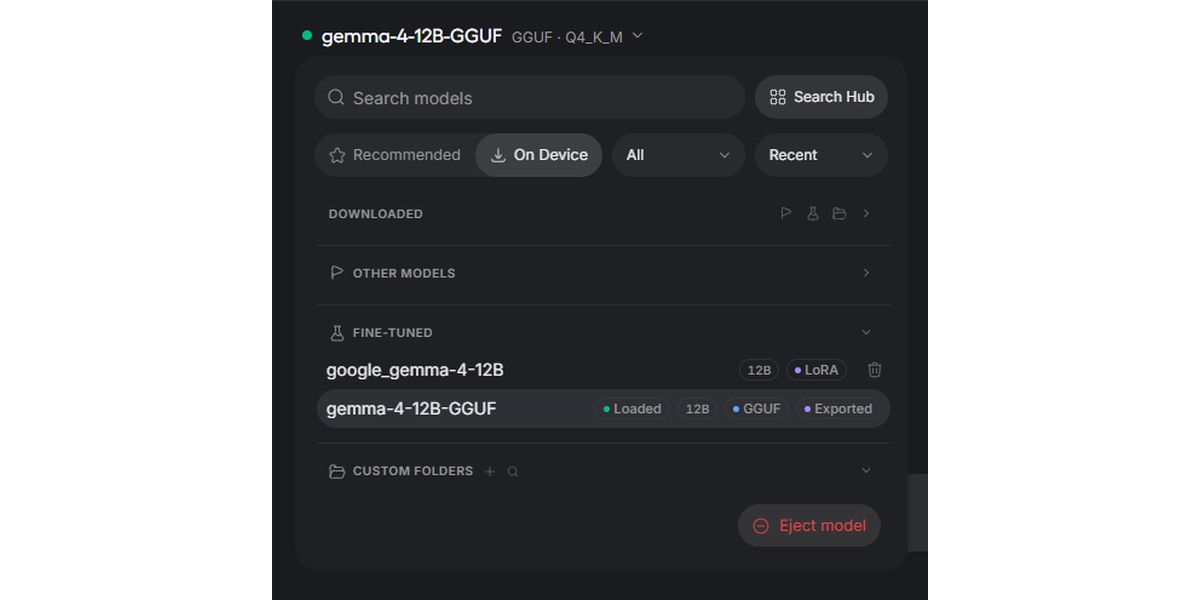
Select your fine-tuned model from the dropdown and chat with it directly in Unsloth. You can now use your trained or downloaded models in New Chat, Recents, or Projects. Enable think, code, and search toggles for the best experience, and see the Unsloth Studio Chat docs for more details.
Chat with your newly fine-tuned model directly in Unsloth!
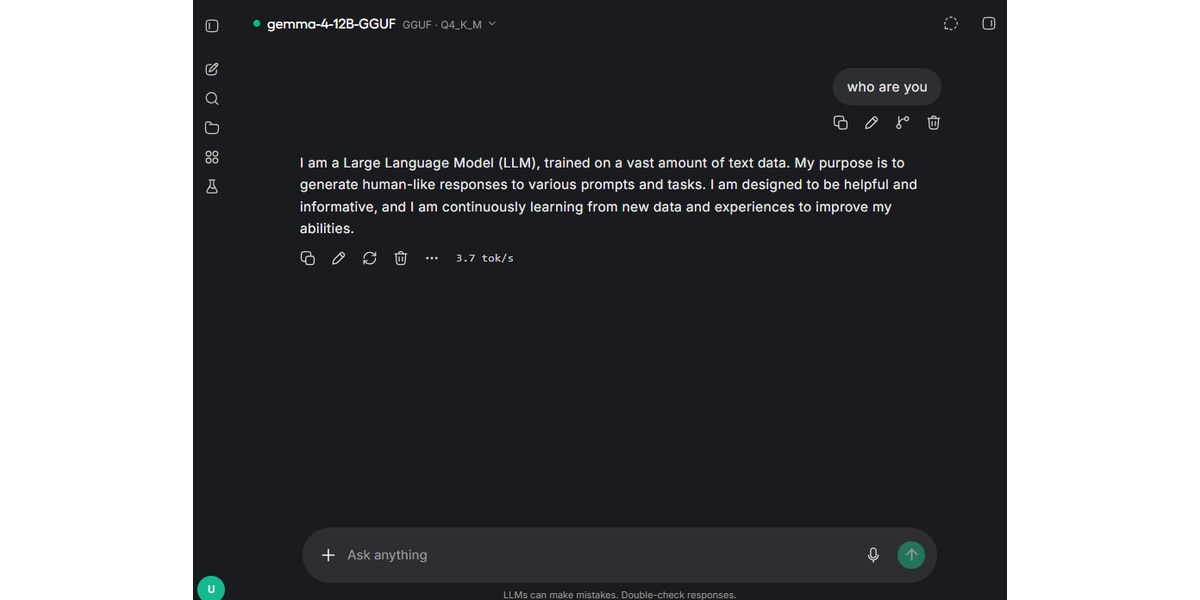
How AMD support was built for Unsloth
Unsloth's custom kernels were ported to AMD in close collaboration with the AMD team. This required changes across the installer, hardware detection, runtime routing, monitoring, and prebuilt asset selection.
- Kernels on ROCm: custom kernels ported to HIP/Triton and tuned per architecture, with RDNA/CDNA detection (is_rdna()/is_cdna()) and ROCm-specific fixes for RMS LayerNorm float32 precision, cross-entropy warp sizing, and Gemma 3 compiled-forward NaNs on RDNA and much more. #2520, #3301, #4109, #4110, #4126
- 4-bit (QLoRA) on AMD: bitsandbytes enabled on Radeon and CDNA GPUs, with the ROCm continuous-release wheel pinned. #3748, #4161, #4954
- Detection + automatic wheel routing: multi-path GPU detection (rocminfo -> amd-smi -> hipconfig -> hipinfo -> WMI), gfx-arch resolution, and automatic installation of the matching ROCm PyTorch wheel, with stale-CPU-torch repair and guards against installing ROCm torch on NVIDIA hosts. #4720, #4770, #5942, #6174
- Windows: full Windows ROCm installer with arch-aware wheels from repo.amd.com and Windows runtime patches (torch.distributed / torchao import fixes, BNB_ROCM_VERSION auto-detection, and a _grouped_mm fallback on gfx1200). #5301, #5940, #6296
- Strix Halo / unified-memory iGPUs: correct shared-memory VRAM reporting, ROCm-on-WSL (Ubuntu 24.04), and an OOM headroom guard tuned per gcnArchName. #5301, #6227
- ROCm inference: per-gfx ROCm llama.cpp prebuilts from the unslothai/llama.cpp fork served to AMD hosts (with source-compilation fallback), plus AMD VRAM probing and a dedicated amd.py monitoring module. #5172, #5963, #6225
Future Work
Thanks so much to the AMD team for collaborating with us on making AMD work well! Upcoming priorities include:
- Continued development and engagement with the AMD team.
- Expanded hardware-backend CI/CD using AMD Strix Halo and Radeon Lab hardware.
- Support for new AMD GPU cards and architectures as they launch.
- Clearer multi-GPU guidance: AMD distributed training is currently Linux-only. On Linux, ROCm uses RCCL, so distributed training works. On Windows, AMD ROCm does not yet provide a GPU-collective backend, with GLOO/CPU-only support as of TheRock #5694; use Linux if you plan to do AMD multi-GPU training.
- Further speed optimizations with respect to the ROCm stack.
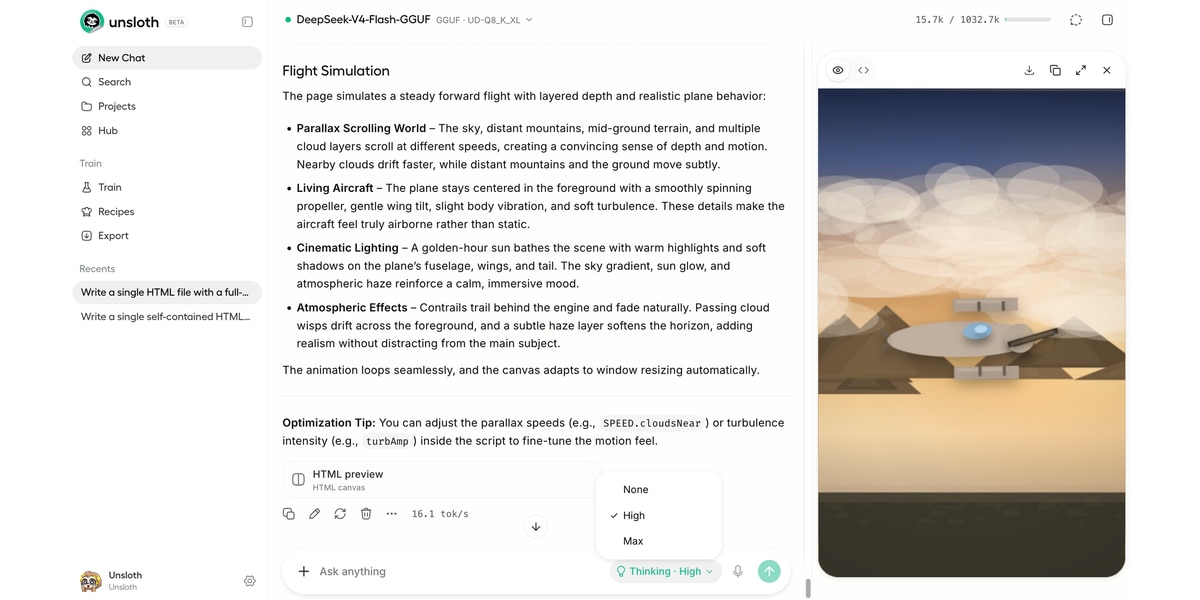
Thanks to AMD for Collaborating!
Thanks to the AMD team for collaborating with us on this release. An easy way to use Unsloth on AMD is through AMD Developer Cloud, with one-click notebooks powered by the Instinct MI300X GPUs with 192GB VRAM. AMD also offers free credits through the AMD AI Developer Program. To run an Unsloth notebook, use any AMD notebook from unslothai/notebooks and swap the GitHub domain with the AMD Developer Cloud URL, since the notebook paths are the same.
Need help or want to share feedback? You can join our Discord, read the AMD docs, open an issue or PR on GitHub, or post on our Reddit r/unsloth.


Contributors



Related Blogs
-
DeepSeek-V4 Flash RL on AMD Instinct MI308X GPUs with an AITER-Backed RL Stack — ROCm Blogs
Run end-to-end DeepSeek-V4 Flash reinforcement learning with an AITER-backed AMD RL stack on AMD Instinct MI308X GPUs.
October 27, 2026
-
AMD Pensando™ DPUs: A Programmable Foundation for AMD-Based Oracle Acceleron SmartNICs
AI is entering a new phase. Training, inference, and agentic AI systems are becoming more capable, distributed, and central to how organizations operate with DPUs being important.
October 27, 2026
-
ROCm 10.0.0 Support for Ray 2.58.0: Enabling Scalable AI Workflows — ROCm Blogs
ROCm 10.0.0 with Ray 2.58.0 continues PyTorch 2.12 and vLLM support.
October 26, 2026
-
Two Waves, One Stage Apart: Warp-Pipelining Triton GEMMs on AMD Instinct — ROCm Blogs
Use warp-pipelining to overlap matrix work and data preparation in compute-bound Triton GEMMs on AMD Instinct GPUs.
October 26, 2026
-
Training EAGLE3 Speculative Decoding Draft Models on AMD Instinct MI350X with AMD Quark — ROCm Blogs
Learn how the AMD Quark team trains EAGLE3.1 draft models from scratch on AMD Instinct MI350X GPUs using ROCm, vLLM, TorchSpec, and SPEED-Bench.
October 26, 2026
-
Group-GEMM in XLA: Making Mixture-of-Experts Fast and Memory-Efficient — ROCm Blogs
Learn how to make JAX/MaxText MoE training more efficient with two new OpenXLA Group-GEMM backends for ragged-dot: ROCm hipBLASLt and generic Triton.
October 25, 2026
-
Ultralytics YOLO on AMD GPUs: Train, Run, and Deploy with ROCm™ — ROCm Blogs
Learn how to train, run, and deploy Ultralytics YOLO26 models on AMD GPUs with PyTorch on ROCm and MIGraphX, starting with Ultralytics 8.4.171.
October 25, 2026
-
NeuroSpark Expands AI Compute Choice with AMD
NeuroSpark uses AMD Instinct GPUs and ROCm software on OCI to deliver flexible, cost-effective AI training and inference
October 23, 2026