AMD Brings Local AI to Autodesk University 2026
Sep 15, 2026
Introduction
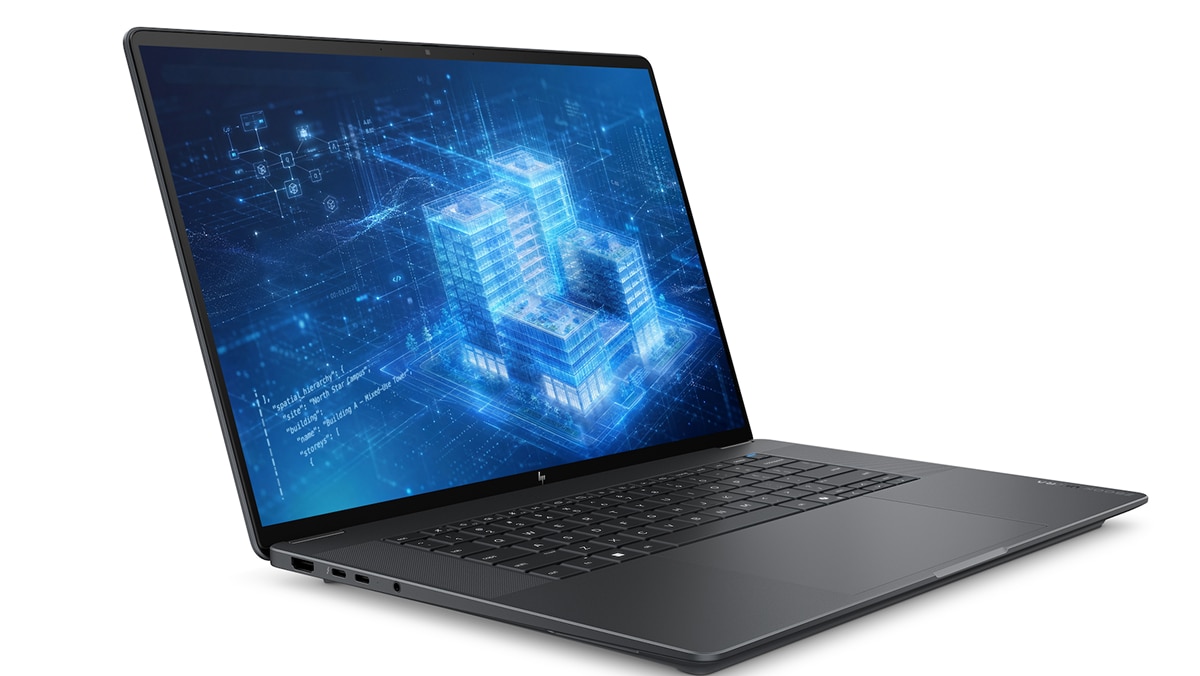
Autodesk University runs from September 15–17, 2026 at the Venetian Expo and Convention Center in Las Vegas, Nevada. The advent of AI agents and the possibilities they represent have animated trade shows throughout the year, and AU 2026 is no exception. The size of the Autodesk ecosystem and its reach across so many different industries make the conference a particularly useful way to examine the ongoing impact of professional AI adoption. For AMD, this year’s show also marks the launch of the new HP ZBook Ultra G3a 16-inch mobile workstation PC, featuring AMD Ryzen™ AI Max PRO 400 Series processors.
More than 12,000 Design & Make professionals are expected to attend the show, which features more than 500 learning sessions and a pool of over 100 sponsors. AI, connected data, and integrated workflows are major show themes this year. The opening keynote “Building AI for the Real World,” by Autodesk CEO Andrew Anagnost and technology executive Clara Shih, will focus on how generative and agentic AI can augment human expertise across design, manufacturing, and engineering.
AI has been a major Autodesk University theme since 2023, beginning with assistant integration and progressing toward agents that can work across Autodesk data, tools, and applications. Neural CAD, which Autodesk discussed at AU 2025, provides a useful bridge to the company’s AU 2026 work.
At AU 2025, Autodesk discussed research projects intended to generate editable CAD geometry rather than images that superficially resemble CAD models. Neural CAD produces B-reps that include the geometric and topological data that downstream modeling, simulation, and manufacturing all require. Now, AU 2026’s sessions on AI-assisted design, Autodesk Assistant, and Fusion connections through MCP (Model Context Protocol) tackle the question of how AI can apply design geometry, product data, and connected software tools inside a larger workflow. This integration allows Claude to read relevant design context and support product-approved actions inside Fusion, subject to the product’s permissions and access controls.
AMD at AU 2026
The new HP ZBook Ultra G3a I mentioned earlier is designed to provide the performance and memory capacity engineers and AI power users need for emerging agentic AI and more traditional AEC workloads. This new system features AMD Ryzen™ AI Max PRO 400 Series processors and up to 192GB of unified memory – 50% more than previous Ryzen AI Max PRO 300 Series CPUs. Up to 160GB of that 192GB capacity can be dedicated to the GPU to support 300B-parameter local models, and the HP ZBook G3a offers options like an optional 5G with Starlink satellite service, a 2.8K OLED or 4K DreamColor display, and Thunderbolt 4 support.
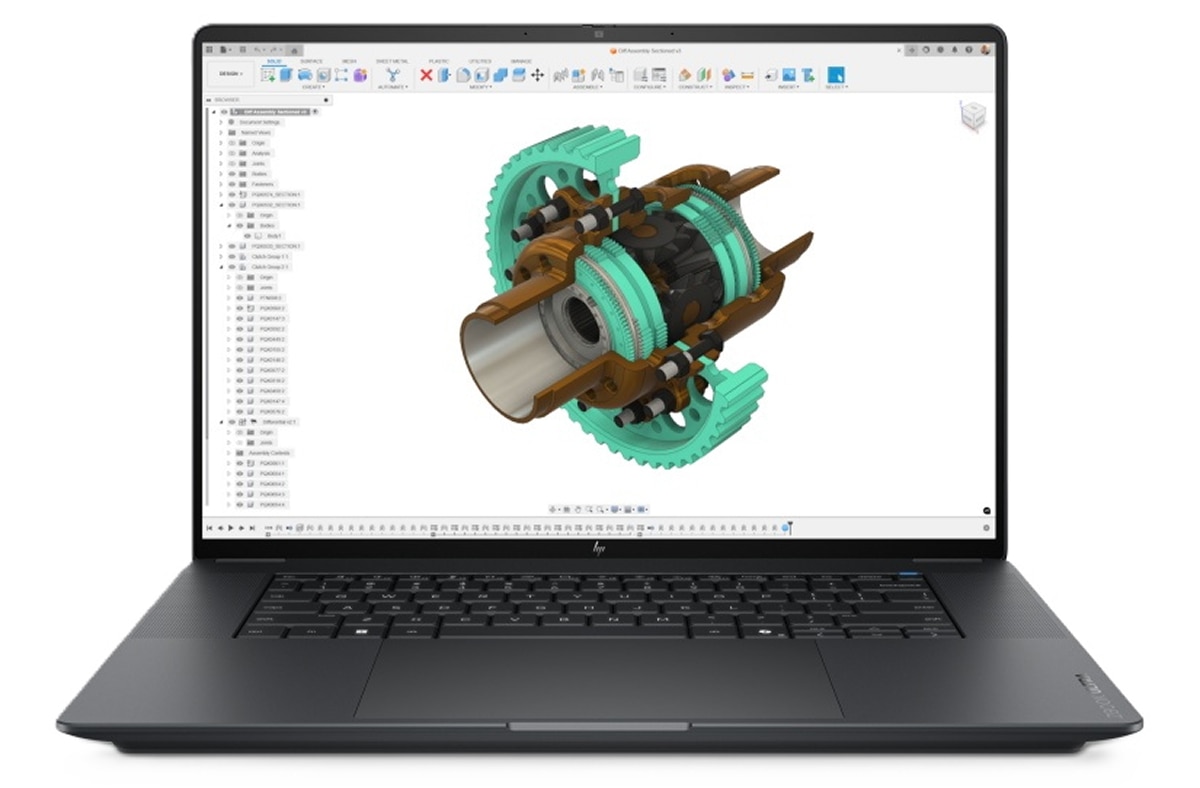
This combination of professional workstation performance and local AI capability also runs through AMD speaker sessions at this year’s show. On Tuesday, at 11 AM, I’ll join HP to discuss how AI-ready workstations can power the next generation of Autodesk AEC workloads. (Session CS4619 at the Venetian, San Polo 3403, Level 3). The session examines how changing AI workloads affect workstation requirements across BIM, CAD, visualization, simulation, and reality capture. I’ll also demonstrate an MCP connection into Revit using local AI.
The demo brings together two subjects that can otherwise wind up separated at a show like AU. Agents need access to professional tools and project context if they are going to perform useful work. But how much of the inference behind those agents can (or should) move onto the workstation itself?
Later, from 1:30–2:30 PM, I’ll participate in a broader, hour-long discussion with HP and Greg Schleusner on agentic AI for next-generation AEC workflows (Session CS4620 at the Venetian, Titian 2204, Level 2). HP’s AU program places the session directly alongside its discussions of AI-ready workstation hardware and local AI, reflecting how closely the software and hardware questions are beginning to overlap.
On Wednesday at 11 AM, I’ll share details on how to optimize Dell Pro Max workstations for both local AI and Autodesk workloads (Session AS4751, Venetian Expo 101, Level 1). Then, from 1:30 – 2 PM, AMD Senior Manager Michael Katz will tackle the workstation side of the same problem in “Does Your Workstation GPU Still Make the Cut? How Local AI Is Raising the Bar for Autodesk Workflows.” His discussion covers AMD Ryzen™ AI PRO processor support for advanced viewport graphics in Autodesk applications, along with variable graphics memory that can be configured for large CAD models, local LLMs, and AI image-generation workloads such as ComfyUI. He will also address expanding GPU compute support for AMD Radeon™ graphics, including applications such as KeyShot. (Session CS4694 Venetian, San Polo 3403, level 3).
Where Should the Work Run?
The focus on agents and integration at AU 2026 arrives as enterprises evaluate where all these AI workloads should practically run. Agentic workloads can consume substantial cloud resources as agents work across multiple steps, tools, and model calls — especially when deployed across teams rather than for a single user. Local execution gives organizations another option, provided the workstation has the resources to run the workload.
As our Tokenomics Calculator shows, moving suitable AI work onto local systems can significantly reduce cloud costs while preserving access to cloud models when they are the better fit. A workstation such as the HP ZBook Ultra G3a gives engineers and AI developers more options for deciding where that work runs, with the resources to handle demanding Autodesk applications and substantial local AI workloads on the same system.
See You at AU
If you’re heading to AU 2026, come take a look at the new HP ZBook Ultra G3a and see what these capabilities look like in an actual mobile workstation. AMD speakers will be digging into local AI, Revit and MCP, advanced Autodesk viewport graphics, GPU compute, and the changing demands these workloads place on professional systems. We’d love to chat with you, answer questions, and discuss where local AI can fit into professional Autodesk workflows.
See you at the show.

Related Blogs
-
Accelerating MONAI Digital-Pathology Pipelines on AMD Instinct™ GPUs with hipCIM — ROCm Blogs
In this blog you will measure a MONAI digital-pathology pipeline on AMD Instinct™ GPUs using hipCIM as the WSIReader backend.
October 25, 2026
-
Ultralytics YOLO on AMD GPUs: Train, Run, and Deploy with ROCm™ — ROCm Blogs
Learn how to train, run, and deploy Ultralytics YOLO26 models on AMD GPUs with PyTorch on ROCm and MIGraphX, starting with Ultralytics 8.4.171.
October 25, 2026
-
NeuroSpark Expands AI Compute Choice with AMD
NeuroSpark uses AMD Instinct GPUs and ROCm software on OCI to deliver flexible, cost-effective AI training and inference
October 23, 2026
-
Sovereign AI for European Customer Conversations
LeadDesk, QuTwo, and AMD Silo AI collaborate on a sovereign AI stack that brings near-frontier, open-weight models to European customer conversations.
October 22, 2026
-
AMD and Advantech - Architecting the Next Generation of Regulated Casino Games
Discover how Advantech and AMD are redefining regulated casino gaming with Ryzen Embedded 8000 Series processors, integrated RDNA 3 graphics, XDNA AI acceleration, and purpose-built DPX platforms. The solution enables immersive multi-screen experiences, predictive maintenance, stronger security, lower power consumption, simplified designs, and long-term platform availability for gaming OEMs worldwide.
October 21, 2026
-
Micro-World 2: Streaming Real-time Interactive World Model — ROCm Blogs
This blog demonstrates how Micro-World 2 combines precisely annotated action data, four-step diffusion distillation, and ROCm-optimized inference to deliver controllable, long-horizon, real-time world generation on a single AMD Instinct GPU through a fully open-source pipeline.
October 20, 2026
-
MoE Training Optimization with Primus — ROCm Blogs
Learn how to speed up MoE training on AMD Instinct GPUs with Primus: a fused MoE megakernel, FP8/MXFP8 expert GEMMs, and training-at-scale tuning.
October 20, 2026
-
Optimizing World Action Models on AMD GPUs — ROCm Blogs
Speed up World Action Models on AMD GPUs with GEAK kernels, fewer denoising steps, and latent actions, cutting FastWAM latency 25× at about 97 percent success.
October 20, 2026