ROCm.AI: The AI-Native Developer Experience for Building on AMD
Jul 23, 2026
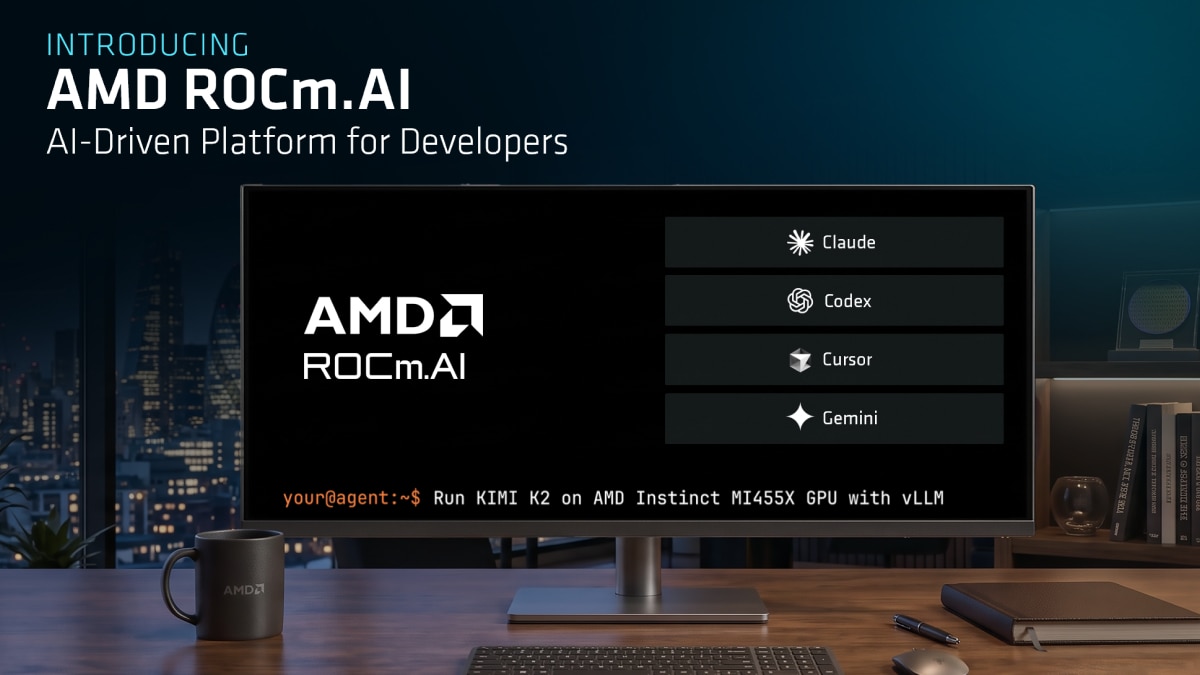
From Intent to Optimized Workloads: ROCm.AI Helps Make AI on AMD Faster to Build and Easier to Adopt
AI development on AMD now spans cloud infrastructure, enterprise clusters, workstations, desktops, and AI PCs. The real question is how quickly developers can turn AMD hardware into optimized AI services.
Across the AMD AI ecosystem, AMD ROCm™ software continues to accelerate software release velocity, broaden open-source engagement, expand framework support, strengthen model enablement, grow developer access and increase validation across the AI stack. That momentum spans the full AMD AI footprint from AMD Instinct™ GPUs in cloud and data center infrastructure to AMD Radeon™ workstations, Radeon desktop GPUs and Ryzen systems. This gives developers a more consistent software path wherever AI workloads run. AMD software is moving fast, scaling customer needs and becoming easier to adopt.
ROCm.AI is the next step: making that software momentum easier to access.
ROCm.AI is an AI-native developer experience for AI development across AMD platforms. Announced at Advancing AI 2026, ROCm.AI brings together AI-assisted development, intelligent deployment and AI-powered software optimization into a unified experience.
Build ROCm Faster
By applying AI and agentic workflows to ROCm development, ROCm.AI helps deliver a better software experience for developers reducing setup friction, making issues easier to diagnose and helping teams get to working AI workloads faster.
Make AI on AMD Easier to Use
ROCm.AI reduces the friction between AMD hardware and a working AI workload. Developers can install the stack, check the environment, serve models, diagnose issues and follow AMD-validated workflows instead of piecing together commands manually.
Boost Performance
ROCm.AI aids performance with ROCm Hyperloom, an autonomous agentic system that optimizes end-to-end inference workloads by identifying bottlenecks, applying targeted optimizations and validating correctness.
Built-in AI Assistance for the AMD AI Software Stack
ROCm.AI brings together complementary capabilities:
Image Zoom
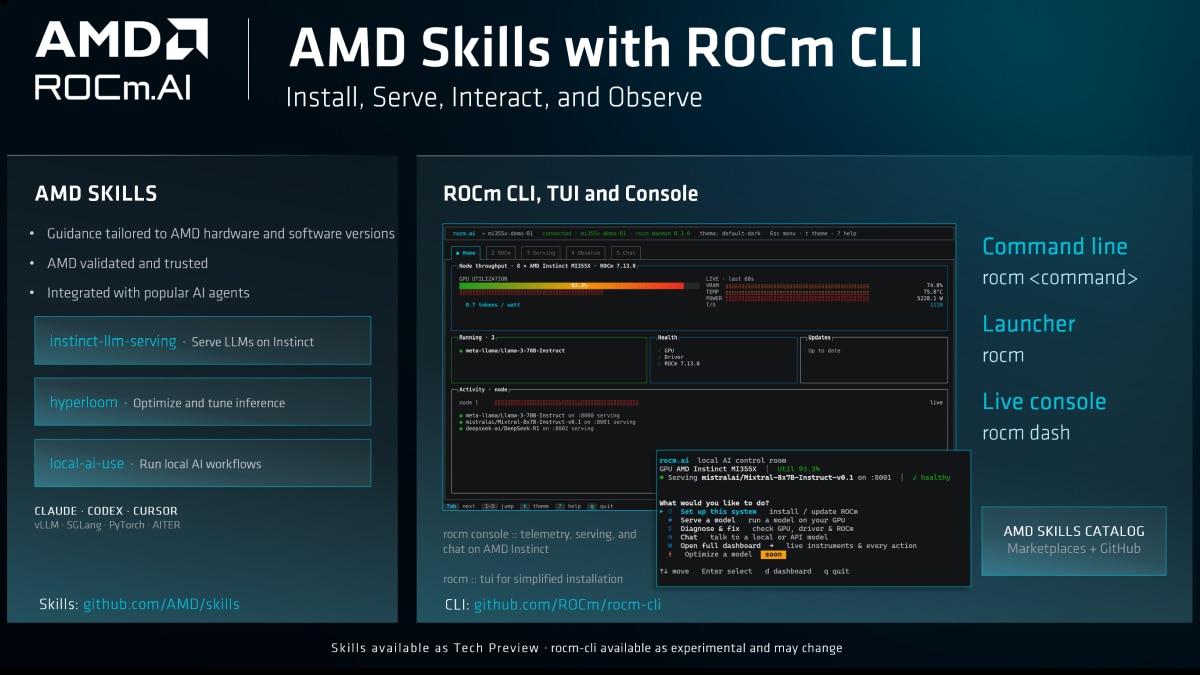
AMD Skills: Your Agent’s Way Into ROCm.AI
AMD Skills is the primary way in which ROCm.AI interfaces with the agents developers already use. They bring AMD-validated ROCm knowledge directly into Claude, Cursor, Codex and other leading assistants, so guidance is tailored to AMD hardware, ROCm versions and supported software paths.
Rather than searching documentation, stitching commands together, or relying on generic examples, developers can state their intent and let the agent draw on AMD Skills to guide the workflow.
AMD Skills are available today through official integrations with coding assistants. Developers can install them from the Codex Plugins catalog, the AMD page in the Cursor Marketplace, or by searching for amd-skills in Claude Plugins.
Sample AMD Skills
- serving-llms-on-instinct - Deploy production LLM endpoints on AMD Instinct GPUs with vLLM on ROCm.
- tracelens - Turn PyTorch profiler traces into actionable performance reports for faster inference and training.
- local-ai-use - Route image, speech, and text-to-speech to a local server on AMD client hardware, private and cloud-cost-free.
- local-ai-app-integration - Embed on-device AI into your own apps across NPU, iGPU, and dGPU.
ROCm CLI : Execution Layer
It gives users a trusted command-line path to install ROCm software, examine the environment and serve models, update components, and generate diagnostics. It is designed for developers, platform engineers, enterprise admins, CI/CD teams and secure environments that need repeatable execution. The CLI is deterministic and scriptable. A developer can run it directly. A script can call it in CI. A coding agent can invoke it with permission. ROCm Console can surface its state.
rocm install
rocm doctor
rocm serve qwen3
rocm update
ROCm Console: Telemetry and Diagnostics
ROCm Console provides visibility into system and workload state. It surfaces telemetry, logs, runtime status, and diagnostic context so users can understand what is happening on the machine. That visibility matters when teams are working with sensitive workloads, clusters, or performance data that should remain inside their environment
ROCm Hyperloom: Workload Optimization
ROCm™ Hyperloom helps developers boost performance with an autonomous agentic system designed to optimize end-to-end inference workloads on AMD GPUs, targeting both host code and GPU kernels by using AI agents and profiling tools to analyze a workload, identify bottlenecks, apply targeted optimizations and validate both performance and correctness. It brings together low-level GPU profiling, trace collection, trace analysis and iterative kernel and code optimization to reduce the manual effort traditionally required for GPU tuning.
Hyperloom helps developers move from a running workload to a better-optimized deployment by profiling the workload, identifying and planning around bottlenecks, exploring optimization options, benchmarking changes and generating a report with proposed improvements and expected performance gains.
ROCm.AI in Action
ROCm.AI is designed to meet developers where they are.
On an AMD Strix Halo System
“Set up this machine for local AI.”
ROCm.AI can guide the user through hardware detection, setup, model serving and local AI workflows.
On AMD Instinct infrastructure
“Serve Qwen 3.6 27B on my AMD Instinct GPU.”
ROCm.AI helps check the hardware and software environment, select the right serving path, launch the model endpoint and confirm that it is running.
For Optimization
“Optimize inference performance on this running model.”
ROCm Hyperloom profiles the workload, identifies bottlenecks across host code and GPU kernels, applies targeted optimizations and validates performance and correctness.
ROCm.AI helps developers move from model selection to running endpoint to optimization through a more guided AMD software experience.1
Why this matters for developers and platform teams
AI development is becoming increasingly agent-driven, and the hardware surface is also becoming more diverse. Developers are building AI PCs, Radeon desktops, workstations and AMD Instinct clusters.
ROCm.AI gives more consistent software experience that can guide setup, validate the environment, serve models, expose local telemetry and help tune workloads. For local developers, ROCm.AI shortens the path from a fresh AMD system to a working local AI workload. For platform and MLOps teams, it makes workflows more repeatable across users and environments. For enterprise operators, it supports local visibility and control. For AI companies, cloud providers and NeoClouds evaluating AMD infrastructure, it helps customers move from instance access to validated workloads faster.
The future of AI infrastructure will not be defined by hardware alone. It will be shaped by platforms that make powerful hardware easier to use, easier to optimize and easier to trust. With ROCm.AI, AMD is making AI on AMD simpler to build, operate and tune to help developers move faster and help decision makers adopt AMD AI infrastructure with greater confidence.
Coming soon:
The AMD Skills catalog will expand with additional workflows across local systems, developer workstations and data-center infrastructure, including:
- HIP Runtime Replay Analysis - Records and replays HIP calls, kernel launches, and memory operations to reproduce GPU failures and guide root-cause analysis on AMD Instinct and Radeon hardware.
- ROCm Doctor - Diagnoses common ROCm, PyTorch and llama.cpp failures by checking the environment against known configuration and compatibility issues.
- Hyperloom Kernel Optimizer - Uses agentic optimization workflows to identify GPU bottlenecks, evaluate code changes and improve inference and kernel performance.
- APU Memory Tuner - Analyzes and tunes shared and dedicated memory allocation on supported AMD APUs to improve model fit and local AI performance.
The AMD Skills catalog is currently a Tech Preview and is being developed in the open, so skill names, scope and availability may evolve as new workflows are validated.
ROCm.AI – Agentic AI Workflows, Simplified.
Get started with AMD-authored Skills and ROCm CLI to install, inspect, serve, migrate and optimize AI workloads on AMD platforms.
Contributors

Related Blogs
-
DeepSeek-V4 Flash RL on AMD Instinct MI308X GPUs with an AITER-Backed RL Stack — ROCm Blogs
Run end-to-end DeepSeek-V4 Flash reinforcement learning with an AITER-backed AMD RL stack on AMD Instinct MI308X GPUs.
October 27, 2026
-
AMD Pensando™ DPUs: A Programmable Foundation for AMD-Based Oracle Acceleron SmartNICs
AI is entering a new phase. Training, inference, and agentic AI systems are becoming more capable, distributed, and central to how organizations operate with DPUs being important.
October 27, 2026
-
ROCm 10.0.0 Support for Ray 2.58.0: Enabling Scalable AI Workflows — ROCm Blogs
ROCm 10.0.0 with Ray 2.58.0 continues PyTorch 2.12 and vLLM support.
October 26, 2026
-
Training EAGLE3 Speculative Decoding Draft Models on AMD Instinct MI350X with AMD Quark — ROCm Blogs
Learn how the AMD Quark team trains EAGLE3.1 draft models from scratch on AMD Instinct MI350X GPUs using ROCm, vLLM, TorchSpec, and SPEED-Bench.
October 26, 2026
-
Ultralytics YOLO on AMD GPUs: Train, Run, and Deploy with ROCm™ — ROCm Blogs
Learn how to train, run, and deploy Ultralytics YOLO26 models on AMD GPUs with PyTorch on ROCm and MIGraphX, starting with Ultralytics 8.4.171.
October 25, 2026
-
NeuroSpark Expands AI Compute Choice with AMD
NeuroSpark uses AMD Instinct GPUs and ROCm software on OCI to deliver flexible, cost-effective AI training and inference
October 23, 2026
-
Sovereign AI for European Customer Conversations
LeadDesk, QuTwo, and AMD Silo AI collaborate on a sovereign AI stack that brings near-frontier, open-weight models to European customer conversations.
October 22, 2026
-
Micro-World 2: Streaming Real-time Interactive World Model — ROCm Blogs
This blog demonstrates how Micro-World 2 combines precisely annotated action data, four-step diffusion distillation, and ROCm-optimized inference to deliver controllable, long-horizon, real-time world generation on a single AMD Instinct GPU through a fully open-source pipeline.
October 20, 2026





Footnotes
- AMD Hyperloom performance improvements vary by workload and starting performance baseline. Results may also vary based on model architecture, hardware configuration, software environment, and optimization opportunities identified.
Footnotes
- AMD Hyperloom performance improvements vary by workload and starting performance baseline. Results may also vary based on model architecture, hardware configuration, software environment, and optimization opportunities identified.