Day 0 Support for Qwen3.6 on AMD Instinct GPUs
Apr 17, 2026
We are excited to announce Day 0 support for Alibaba’s latest open-weights AI coding model, Qwen3.6-35B-A3B, and Qwen3.6-35B-A3B-FP8 on AMD Instinct™ GPUs (MI300X/MI325X/MI350X/MI355X). This technical blog presents a Day 0 deployment walkthrough for Alibaba's Qwen 3.6 model family on the AMD Instinct GPUs by leveraging AMD ROCm™ 7.0 software and vLLM upstream optimizations.
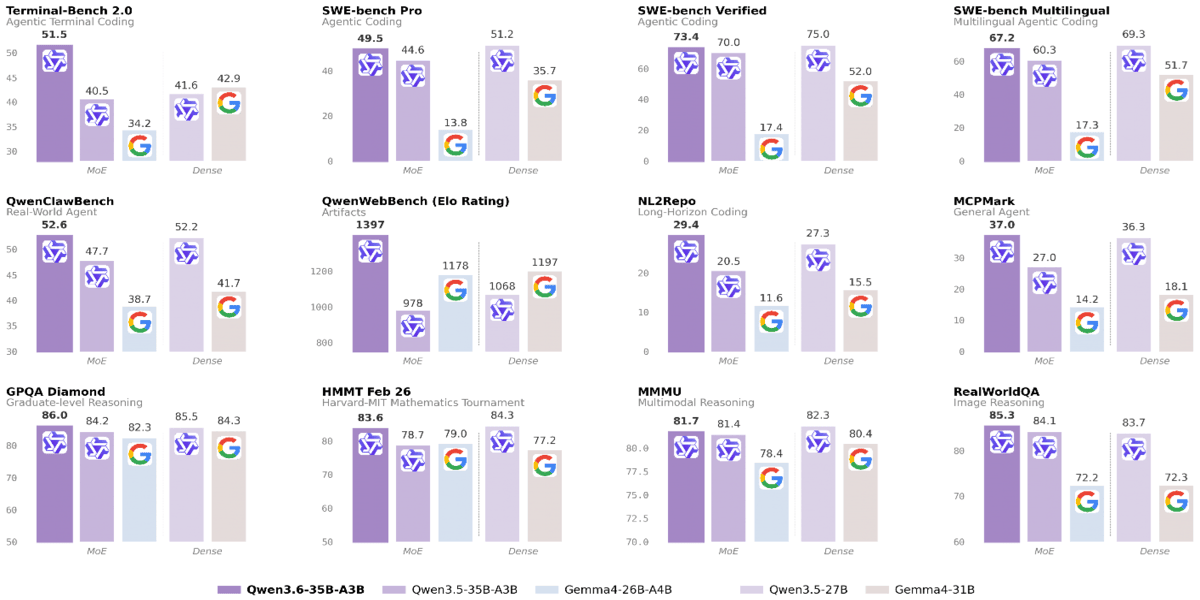
This deployment guide is designed for AI developers, system architects, and DevOps professionals who are building next-generation agentic workflows. By supporting the Qwen3.6 family on AMD Instinct GPUs, we enable developers to run with only 3B active parameters, Qwen3.6-35B-A3B outperforms the dense 27B-parameter Qwen3.5-27B on several key coding benchmarks and dramatically surpasses its direct predecessor Qwen3.5-35B-A3B, especially on agentic coding and reasoning tasks.
Model Overview
Qwen3.6-35B-A3B is a fully open-source MoE model (35B total / 3B active), featuring:
- Exceptional agentic coding capability competitive with much larger models.
- Strong multimodal perception and reasoning ability.
The comprehensive evaluations of Qwen3.6-35B-A3B against peer-scale models across a wide range of tasks and modalities.
Run Qwen3.6 with vLLM/SGLang on AMD Instinct GPUs
The integration of ROCm™ 7 software and vLLM allows users to fully exploit the 192GB HBM capacity of the MI300X GPU and 288GB HBM3E of the MI355X GPU.
- Cost Reduction: Users can serve the full context length on a single GPU for both data types, a critical requirement for repo-level coding tasks that often exceed the memory limits of lesser hardware.
- Optimized Throughput: By leveraging tensor parallelism, developers can achieve the low-latency response times required for real-time IDE integrations like Qwen Code.
Before you start, ensure you have access to Instinct GPUs and the ROCm drivers set up.
Step 1. Get Started with SGLang
Please use the latest pre-built upstream docker image for the MI355x GPU,
		docker run -d -it \
    --ipc=host \
    --network=host \
    --privileged \
    --cap-add=CAP_SYS_ADMIN \
    --device=/dev/kfd \
    --device=/dev/dri \
    --device=/dev/mem \
    --group-add video \
    --cap-add=SYS_PTRACE \
    --security-opt seccomp=unconfined \
    --shm-size 32G \
    -v ~/.cache/huggingface:/root/.cache/huggingface \
    -v /:/work \
    --entrypoint "/bin/bash" \
    --name qwen3.6 \
lmsysorg/sglang-rocm:v0.5.10rc0-rocm720-mi35x-20260414
For the MI300X GPU, please use the following image:
lmsysorg/sglang:v0.5.10-rocm720-mi30x
Step2. Start SGLang serving
Single GPU deployment (MI355X):
		sglang serve --model-path Qwen/Qwen3.6-35B-A3B \
    --tensor-parallel-size 1 \
    --enable-flashinfer-allreduce-fusion \
    --attention-backend triton \
    --mem-fraction-static 0.8 \
    --disable-radix-cache \
    --trust-remote-code
Multiple GPU development (MI355X):
		sglang serve \
    --model-path Qwen/Qwen3.6-35B-A3B \
    --tensor-parallel-size 4 \
    --ep-size 1 \
    --trust-remote-code \
--enable-aiter-allreduce-fusion \
    --attention-backend triton \
    --disable-radix-cache \
    --mem-fraction-static 0.8
MTP enablement:
		sglang serve \
    --model-path Qwen/Qwen3.6-35B-A3B \
    --tensor-parallel-size 4 \
    --ep-size 1 \
    --trust-remote-code \
    --speculative-algorithm EAGLE \
    --speculative-num-steps 3 \
    --speculative-eagle-topk 1 \
    --speculative-num-draft-tokens 4 \
--enable-aiter-allreduce-fusion \
    --attention-backend triton \
    --disable-radix-cache \
    --mem-fraction-static 0.8
Step 3: Chat Completions API
		curl http://localhost:8888/v1/chat/completions \
  -H "Content-Type: application/json" \
  -d '{
    "model": "Qwen/Qwen3.6-35B-A3B",
    "messages": [
      {"role": "user", "content": "Write a Python function to calculate fibonacci numbers"}
    ],
    "max_tokens": 512,
    "temperature": 0.7
  }'
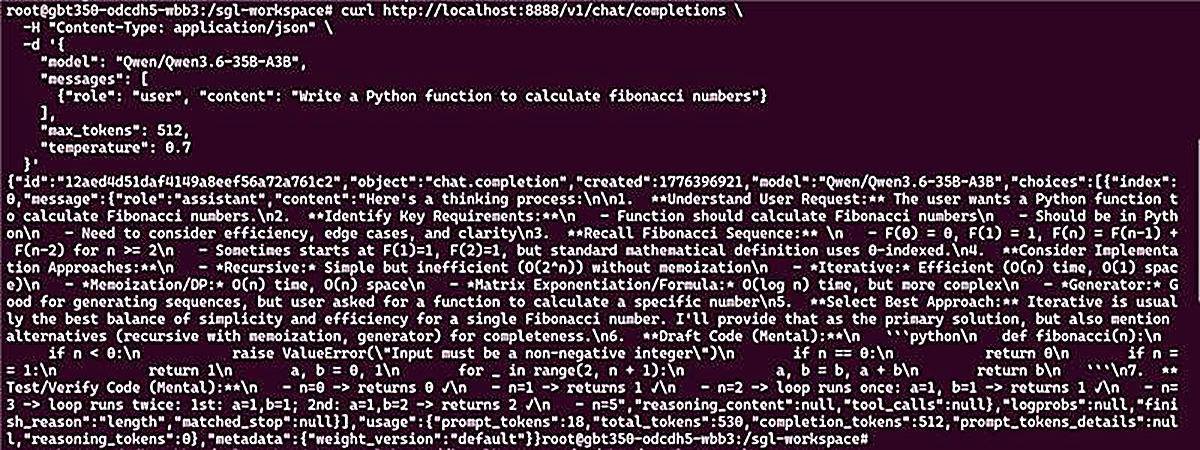
If the serve runs well, you can see the following outputs:
Step 1. Get Started with vllm
Please use the latest pre-built vLLM upstream docker image,
docker run -d -it --ipc=host --network=host --privileged --cap-add=CAP_SYS_ADMIN --device=/dev/kfd --device=/dev/dri --device=/dev/mem --group-add video --cap-add=SYS_PTRACE --security-opt seccomp=unconfined --shm-size 32G -v ~/.cache/huggingface:/root/.cache/huggingface -v /:/work --entrypoint "/bin/bash" --name qwen3.6 vllm/vllm-openai-rocm:latest
Step2. Start vLLM serving
Single GPU deployment (MI355X):
		vllm serve Qwen/Qwen3.6-35B-A3B \
  --tensor-parallel-size 1 \
  --max-model-len 32768  \
  --reasoning-parser qwen3
Multiple GPU development (MI355X):
		vllm serve Qwen/Qwen3.6-35B-A3B \
  --tensor-parallel-size 8 \
  --max-model-len 262144 \
  --reasoning-parser qwen3
MTP enablement:
		vllm serve Qwen/Qwen3.6-35B-A3B \
  --tensor-parallel-size 8 \
  --max-model-len 262144 \
  --reasoning-parser qwen3 \
  --speculative-config '{"method": "mtp", "num_speculative_tokens": 2}'
Let’s Try Coding !
Qwen code deployment
In this section, we will show you how to deploy Qwen code locally by using the SGLang serving and interacting with the Qwen code for any coding queries.
Step 1: Install node.js
		```bash
curl -o- https://raw.githubusercontent.com/nvm-sh/nvm/v0.39.7/install.sh | bash
nvm install --lts
nvm use --lts
node -v
npm -v
```
Step 2: install Qwen code
		```bash
#  Install Qwen Code
npm install -g @qwen-code/qwen-code@latest
#verify
qwen --version
```
Step 3: Launch the Qwen Code
Step 1: Set the openai api key here and deploy the Qwen code locally on the MI355X GPU
		```bash
export OPENAI_API_KEY="EMPTY"
export OPENAI_BASE_URL="http://localhost:8888/v1"
export OPENAI_MODEL=" Qwen/Qwen3.6-35B-A3B "
```
Step 2: Initiate the Qwen Code
		```bash
qwen
```
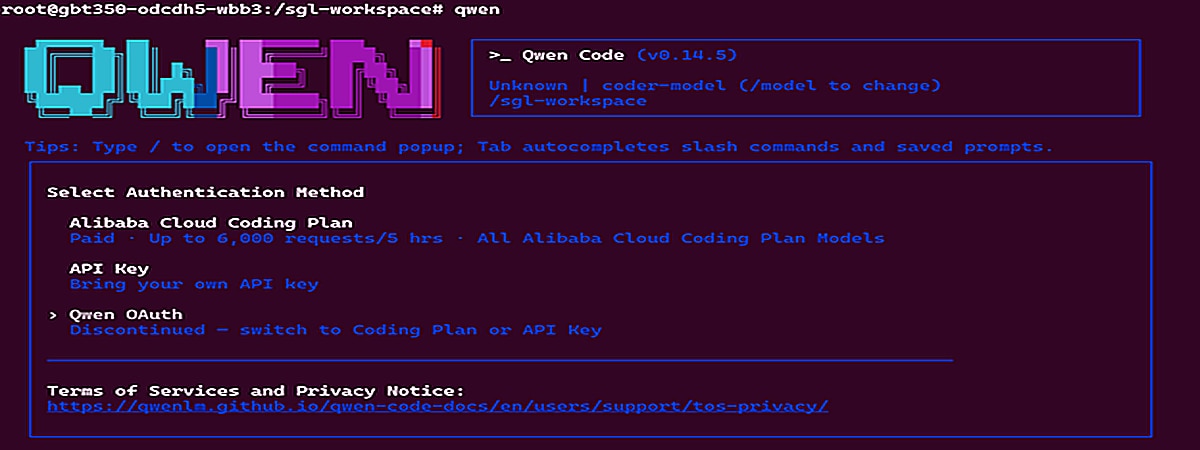
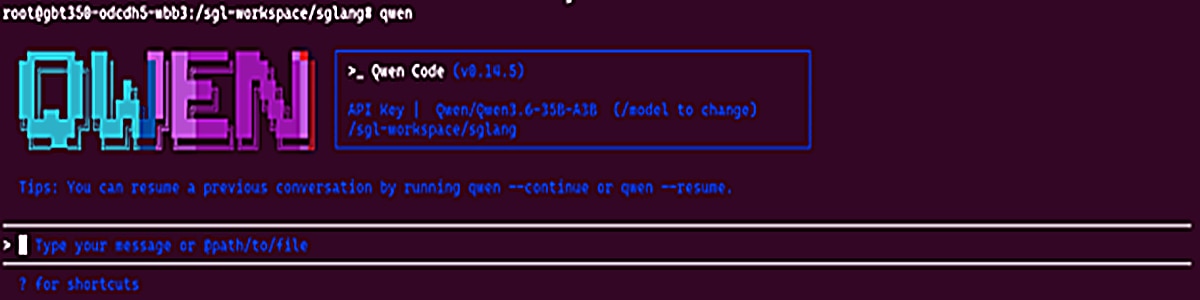
If everything goes well, the interface will be displayed here locally,
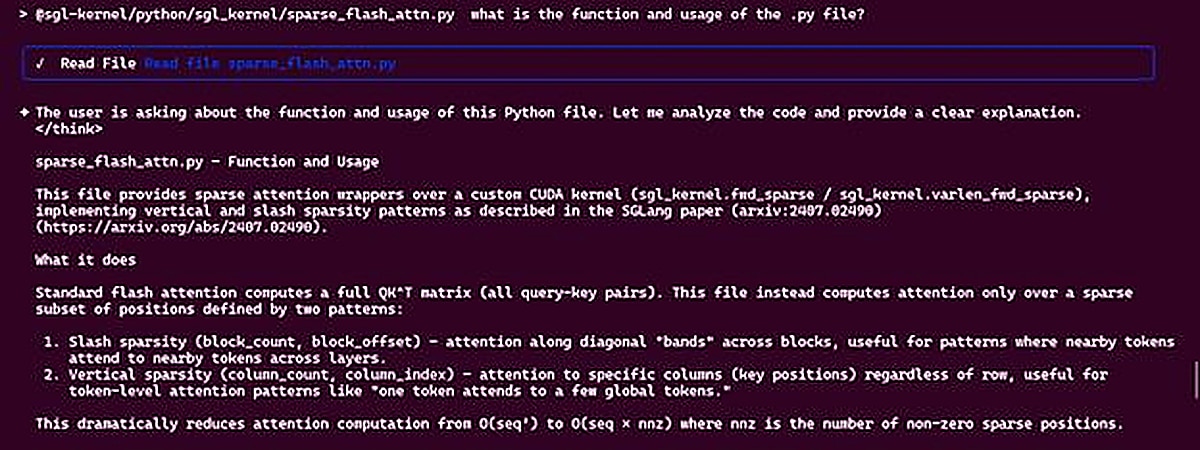
Step 3: Interact with the Qwen Code Agent
Sample Question:

Answer:
Summary
This blog presents the Day 0 support for Alibaba's Qwen3.6 model family on the AMD Instinct GPUs. By following this guide, you have learned how to deploy Qwen3.6 using vLLM/sglang to utilize specialized tool-calling parsers for agentic tasks and how to deploy Qwen code locally by using Qwen3.6-35B-A3B.
This enablement ensures that your development team can immediately start building robust, agent-led coding platforms on the latest AMD hardware. Subsequent posts will deep-dive into kernel-level profiling, custom attention implementations, and ongoing collaboration between AMD ROCm software stack and Qwen model optimizations. Stay tuned.
Additional Resources
- Join AMD AI Developer Program to access AMD developer cloud credits, expert support, exclusive training, and community.
- Visit the ROCm AI Developer Hub for additional tutorials, open-source projects, blogs, and other resources for AI development on AMD GPUs.
- Explore AMD ROCm Software.
- Learn more about AMD Instinct GPUs.
- Download the model and code:
- Modelscope: 千问3.6-35B-A3B
- Hugging Face: Qwen/Qwen3.6-35B-A3B · Hugging Face
- GitHub: QwenLM/Qwen3.6: Qwen3.6 is the large language model series developed by Qwen team, Alibaba Group.
Acknowledgements
AMD team members who contributed to this effort: Andy Luo, Haichen Zhang, FangChun, Chang liu, Bingqing Guo, Yi Gan, Hattie Wu, Tun Jian and the Qwen team.



Related Blogs
-
Day 0 Support for Muse Spark Open on AMD
AMD is excited to announce Day-0 support for Meta’s latest Muse Spark Open model family on AMD Instinct™ MI350X and MI355X GPUs
October 15, 2026
-
Introducing FastFlow SDK
Explore AMD FastFlow-SDK for local AI development on AMD Ryzen™ AI NPUs, from running models to customizing inference and optimizing operators with FastFlow, IRON, and HRX.
October 15, 2026
-
MiniCPM Day 0 Support Across AMD Hardware
Explore Day 0 support for MiniCPM-V 4.7 on AMD Radeon™ GPUs, Ryzen™ AI Max processors, and Ryzen™ AI NPUs for on-device AI inference.
October 14, 2026
-
Long Context, One Node: Serving GLM-5.3-FP8 on MI300X with DP8+EP8 — ROCm Blogs
Learn how to serve GLM-5.3-FP8 on one AMD Instinct™ MI300X node with DP8+EP8 and vLLM v0.28 for long-context workloads, and compare it with TP=8.
October 13, 2026
-
Meet the Next AMD Ryzen™ AI Halo
Meet the next AMD Ryzen™ AI Halo developer platform, powered by the AMD Ryzen™ AI Max+ PRO 495 processor. Run larger local LLMs, up to 300B parameters, thanks to the 192GB of unified memory that comes on the new platform.
October 12, 2026
-
AMD AI NIC™ Technology Driving AI-Ready Ethernet
Learn how AMD AI NIC™ technology helps organizations build AI-ready Ethernet networks with open standards, programmability, and transport innovation.
October 11, 2026
-
Kimi K3 on AMD Instinct GPUs with TokenSpeed
TokenSpeed delivers fast, agentic LLM inference on AMD Instinct™ MI355X GPUs, with optimized kernels and leading Kimi K3 performance.
October 09, 2026
-
scikit workloads with AOCL Data Analytics
Accelerate supported scikit-learn workloads with AOCL-Data Analytics while keeping your existing Python code and familiar scikit-learn APIs.
October 09, 2026