Optimizing Enterprise Use of AI PCs
Discover how enterprises are deploying AI PCs and using AI-optimized hardware powered by AMD to enhance productivity, efficiency, and security.

AMD Partner Insights
Five Questions to Help Guide Your Customers
AI now runs in a lot more places than just the cloud: on employee PCs, at the edge, in customer-owned data centers or through cloud services. As businesses find more ways to put AI to work, the right placement depends on what each workload needs: access to data, responsive performance, reliable connectivity, sufficient capacity and manageable costs.
For partners, the opportunity is to turn those requirements into practical infrastructure recommendations. A local document assistant and a video analytics system serving multiple sites may need different approaches. Start with the workload, then identify where the AI workload should run.
The type of AI work also matters. Training or refining a large model typically requires substantial computing power based in the data center or cloud. A lot of what customers use AI for every day, like summarizing documents or helping employees complete routine tasks, involves inference, using an existing model to handle new requests. Depending on the model and software, that work can happen on a PC, at the edge or in centralized infrastructure. Understanding that difference helps partners see where customers have flexibility and where their workloads are more demanding and require specific solutions.
Before recommending products, establish what the workload needs. These five questions help partners identify suitable deployment options and explain the tradeoffs to customers.
That last point matters more as AI becomes part of everyday work. Cloud AI APIs may charge based on token usage, while enterprise subscriptions may use seat-based or other pricing. With usage-based APIs, costs can increase as request volume and token consumption grow.
Use the AMD Tokenomics Calculator to compare estimated costs for supported local and cloud AI scenarios. Enter the customer's team size, expected usage, selected cloud model and analysis period to explore how costs may change as adoption grows.
The calculator estimates the cost over the period you choose. It also compares cloud API costs with running supported AI workloads on AMD devices or through a mix of local and cloud processing, including estimates for operating and hardware costs. For partners, it's a great, easy way to show customers how different choices can affect costs as their AI usage grows.
Treat the results as a starting point. Before recommending a deployment, confirm model and software compatibility and account for licensing, IT support and other costs outside the calculator's assumptions.
Once you have a clearer picture of what the workload needs, it's easier to work out where it should run.
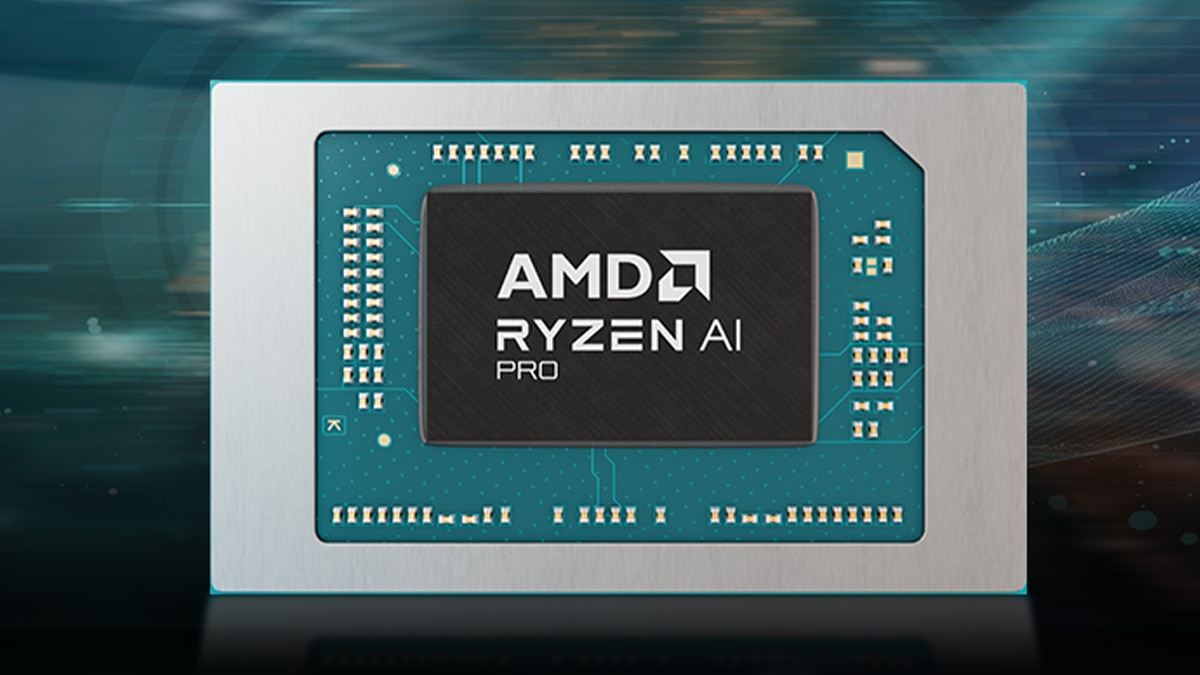
Consider on-device AI when employees need supported applications to process data locally or operate without a continuous internet connection. Systems featuring AMD Ryzen™ AI PRO processors combine CPUs, GPUs and NPUs to support local AI applications, from productivity tools to document assistance. Local processing can reduce reliance on network connections and avoid network round trips for supported workloads.
Learn more about enterprise AI PCs and hybrid AI
Consider edge AI when cameras, sensors or equipment need processing close to where data is generated. AMD Ryzen™ AI Embedded X100 Series processors bring together CPU, GPU and NPU acceleration for systems that need to handle local AI alongside other demanding tasks. Keeping more of that processing on-site can reduce the amount of raw data sent across the network, easing bandwidth demands and helping time-sensitive systems respond without waiting for remote services.
Consider centralized data center infrastructure when larger models, shared services or intensive training require resources beyond individual devices. AMD EPYC™ server CPUs and AMD Instinct™ GPUs support intensive inference, model training and the services that keep enterprise AI systems running. The AMD Enterprise AI Reference Stack also helps enterprises deploy and manage AI on AMD infrastructure through an open software foundation.
Get details on AMD EPYC server CPUs for enterprise AI
Consider cloud services when customers need access to hosted models or capacity they can adjust as demand changes. For some businesses, keeping large AI workloads within their own data centers will make more sense when it comes to cost and scale. Others may prefer cloud services for workloads that fluctuate or need resources they can't justify maintaining in-house.
Different tasks within the same AI workflow may suit different environments. A hybrid approach lets customers keep suitable work local while using centralized or cloud resources for tasks that need additional capacity or different models.
AMD provides a useful example of how much AI work can be handled locally in the right application. In the Advancing AI 2026 article, AMD describes a customer support demonstration in which a system featuring AMD Ryzen™ AI processors running Lemonade handled routine model requests on-device and sent more demanding requests to a cloud model. Across that specific demonstration, AMD reported that 69% of token processing stayed local, with 31% offloaded to the cloud.
Those figures come from one demonstration, so each customer's split will be different. What makes the example useful is how the application makes that decision for individual requests; local AI can handle the tasks it's suited to, with access to larger cloud models when needed, keeping data handling and security top of mind and helping to reduce ongoing cloud computing costs.
AMD Ryzen AI processors can support work on employee devices, AMD Ryzen™ AI Embedded processors can bring inference to on-site systems, and AMD EPYC server CPUs and AMD Instinct GPUs can support centralized workloads. The result is more flexibility to build around what customers are doing today and how their AI needs may develop both short-term and long-term.
The five questions mentioned at the top of this article give partners a useful starting point. On-device and edge AI can make sense where immediate responses or offline use matter, and data that must remain local and off cloud-based platforms can be handled on-device or within on-premises infrastructure. For larger shared models, intensive training, or capacity that grows with demand, look at data center and cloud options. Where customer requirements vary across tasks, explore a hybrid setup from the start.
Once you've narrowed down the options, it's worth exploring the costs together. If local AI PCs are part of the discussion, the AMD Tokenomics Calculator can help you compare the potential costs of running work locally and through cloud APIs. From there, make sure the customer's chosen AI models and software are a good fit for the hardware and talk through what managing and supporting the setup would look like day to day.
Start the next customer conversation with one defined AI workload. Use the five questions to identify suitable deployment options, compare estimated costs with the AMD Tokenomics Calculator where applicable, and validate model and software compatibility before recommending hardware. Speak to your AMD representative about matching AMD processors, accelerators and software to the customer's workload requirements.
Build expertise with training on AMD AI solutions, AMD EPYC™ server CPUs, AMD Instinct™ GPUs and more across the AMD portfolio.
Get monthly updates on the latest AMD products, training resources and Meet the Experts webinars.

Help accelerate enterprise AI adoption with the AMD Enterprise AI Reference Stack, optimized for scalable, open, production-ready deployments.
AMD grows its AI portfolio across device, edge, and data center, to help partners deliver flexible customer solutions.
Darren Grasby covers how AMD and its partners drove AI, HPC, and client innovation forward throughout 2025.
Discover how AMD advances sustainability, efficiency, and innovation while empowering people and protecting the planet.